
The ElektraComp is a VCA-based compressor that we designed specifically for the Sound Techniques Alpha Range Channel. The hardware didn’t have a compressor on it, but here we are in the future, and at Korneff we put compressors on everything. Here’s a lesson on using this bad boy.
MODES: EZ
The ElektraComp has two basic modes, EZ and, err, not EZ. EZ mode sets attack, release, ratio and knee based on the THRESHOLD and the composition of the audio signal. It also has auto makeup gain—it really is EZ. Click the compressor in, turn THRESHOLD counterclockwise, watch the GAIN Reduction and listen.
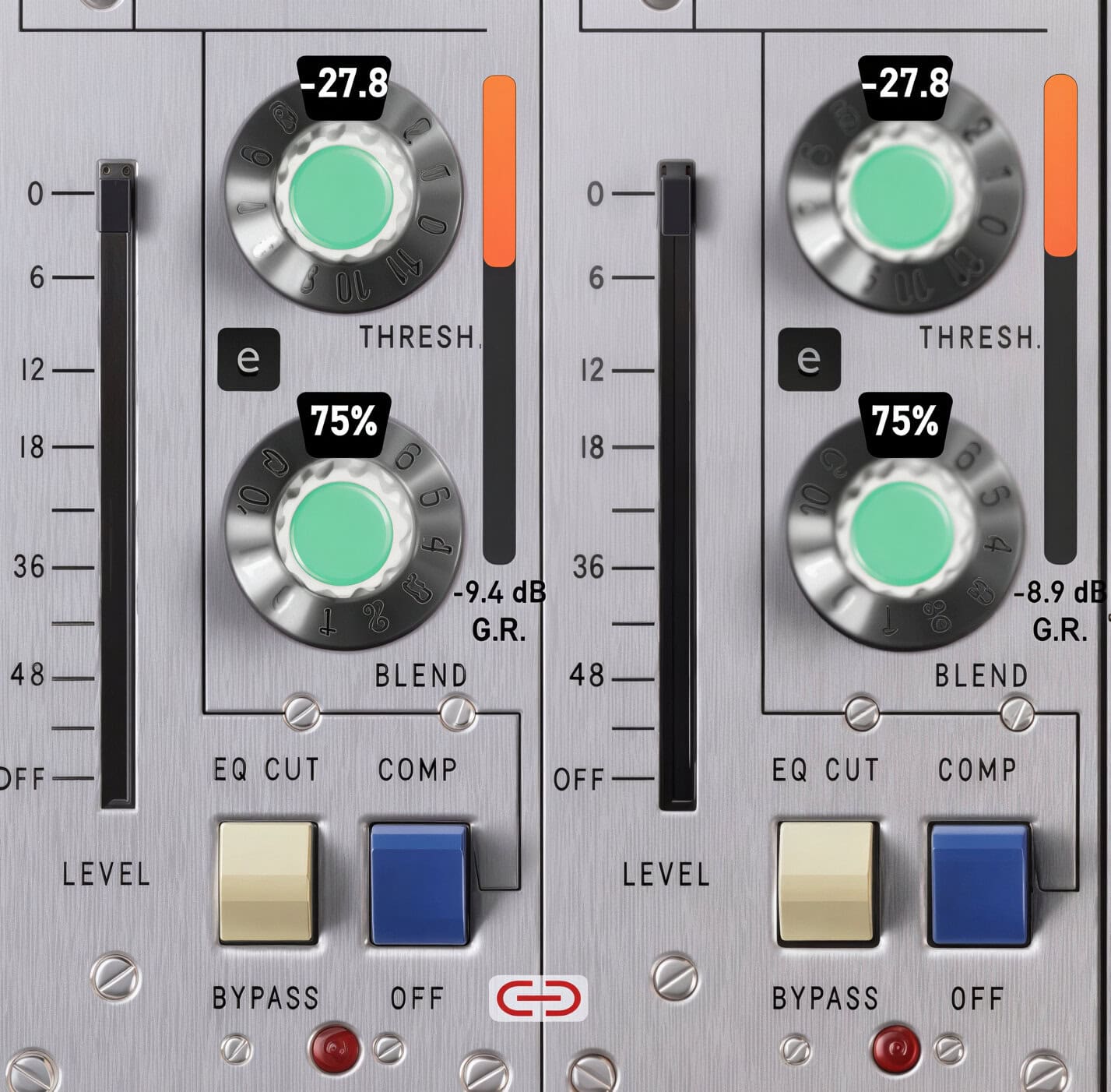
The ElektraComp is designed to work as a parallel compressor, meaning you can adjust the DRY amount (uncompressed signal) to the WET amount (compressed signal). The adjustment for this is the BLEND Knob below THRESHOLD. 100%, or fully clockwise, is all compressed signal; 0% or fully counterclockwise is all uncompressed signal.
It’s always worth it to take a moment and play with BLEND. Does it sound better with some of the uncompressed signal mixed in, or perhaps it sounds best mostly dry with just a touch of the compressed signal. Click the small e to see the compressor editor.
The Editor
The Editor is dominated by two diagrams, the INPUT LEVEL and the TRANSFER CURVE.
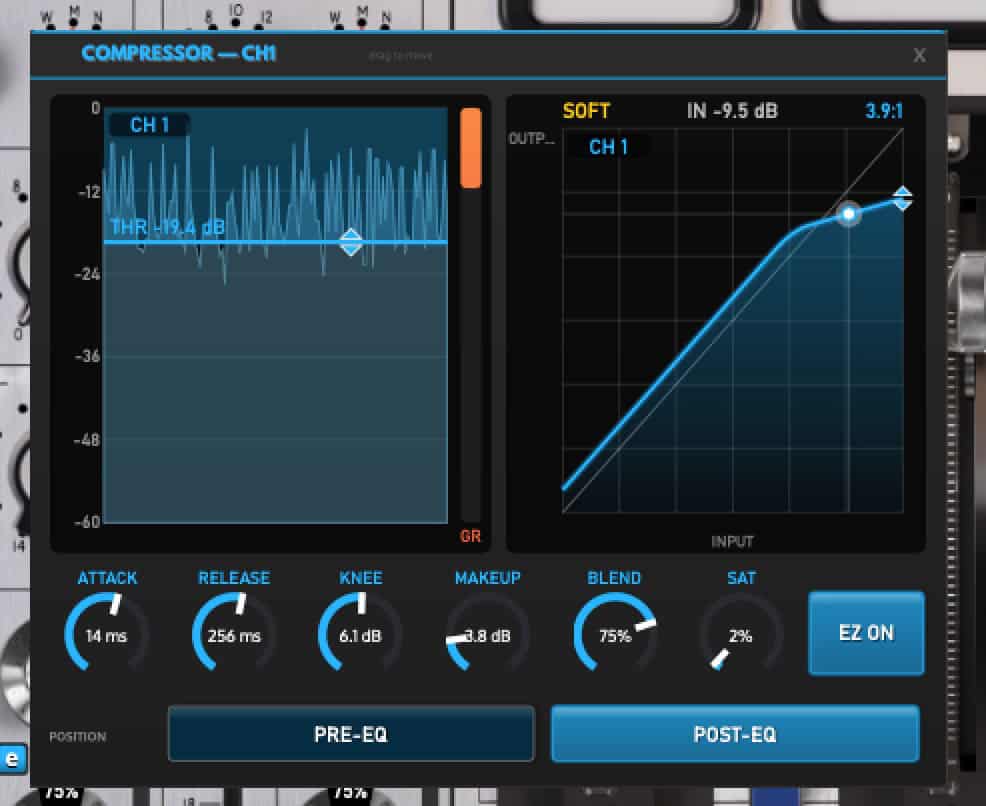
ElektraComp compressor editor panelINPUT Level is a graphic display of the input signal; the line is the threshold. Click on the threshold and move it up and down—it’s the same thing as the THRESHOLD Knob on the front. As you move it, you’ll notice all of the settings change if you’re in EZ mode. You can change ATTACK and RELEASE and all the settings while in EZ, but they’ll change (with the exception of BLEND and SATURATION) if you move the threshold control.
The Transfer Curve is a comparison of what feeds in versus what feeds out. The bottom portion is the input level, the top is the output level. Level isn’t indicated numerically, but basically it is low at the bottom and higher as one goes up. This diagram will help make it clearer.
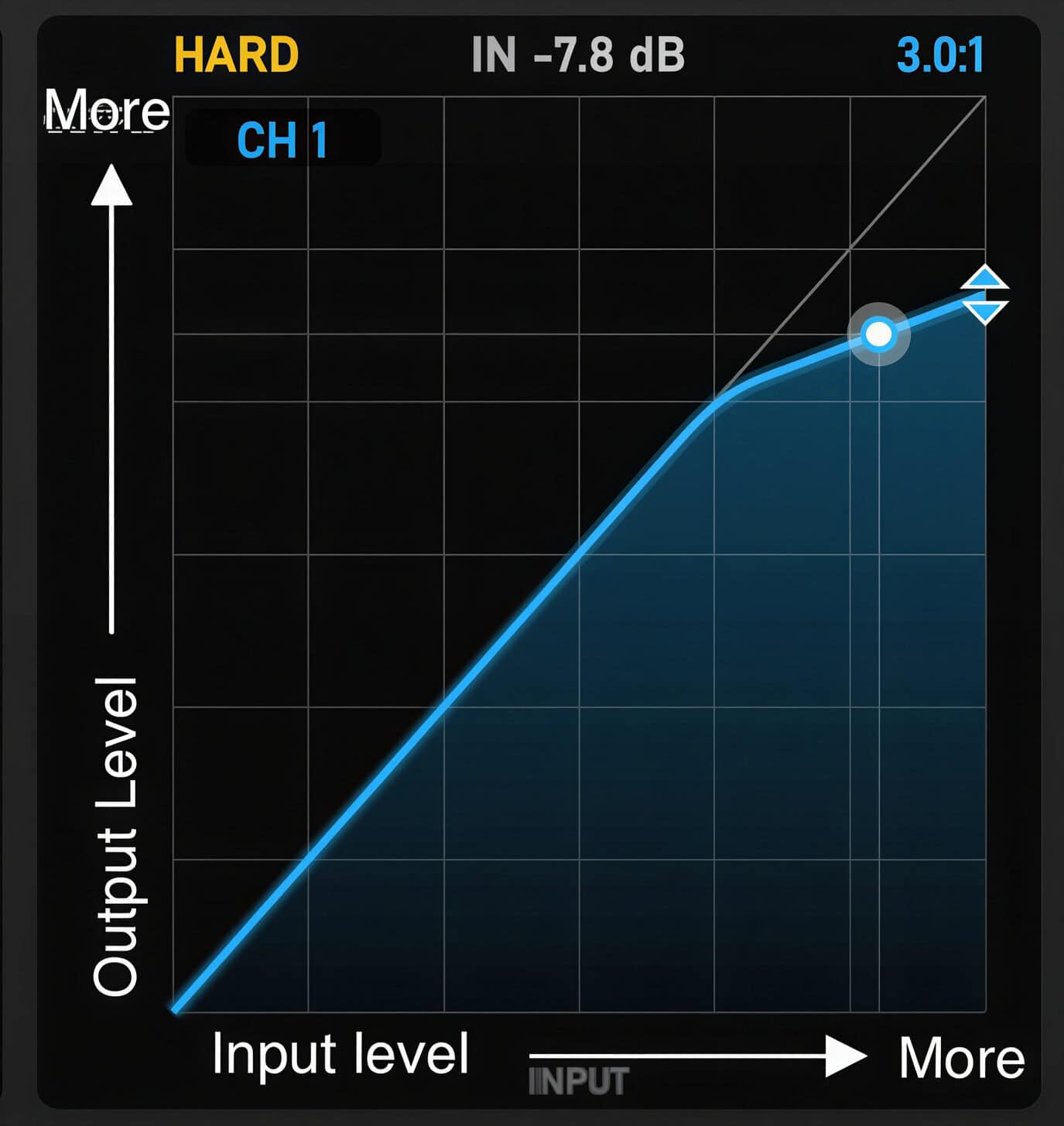
You’ll notice most of the curve is a diagonal line, which means the power in is the same as the power out. At the top of the curve, the line bends down, which indicates that the increase in Input isn’t matched by an increase in output: the compressor is turning down the output.
The bright dot is the signal. As you run something through the ElektraComp, adjust the threshold and see how it affects the curve. Also, adjust the KNEE—as you turn it up, the “bend” of the curve will soften.
Not EZ Mode
Click EZ ON to switch it to EZ Off.
You now have full control over everything about the ElektraComp. To set RATIO, click on the DIAMOND in the upper corner of the Transfer Curve and pull it down. You can go up to 20:1 on the ratio.
Spend a bit of time adjusting the KNEE. Counterclockwise is HARD, clockwise is SOFT. Try to hear the difference. Admittedly, this is a very difficult thing to hear. My rule of thumb is the more percussive I want something, the harder the knee. I wrote a bunch on knees here.
The ElektraComp is about as versatile a compressor as I’ve ever used. It works on anything—bus mixes, drum buses, vocals, kicks, snares, it’s lovely on bass and with a few tweaks it does a very nice impression of an SSL bus compressor. In case you’re curious, below are my settings.
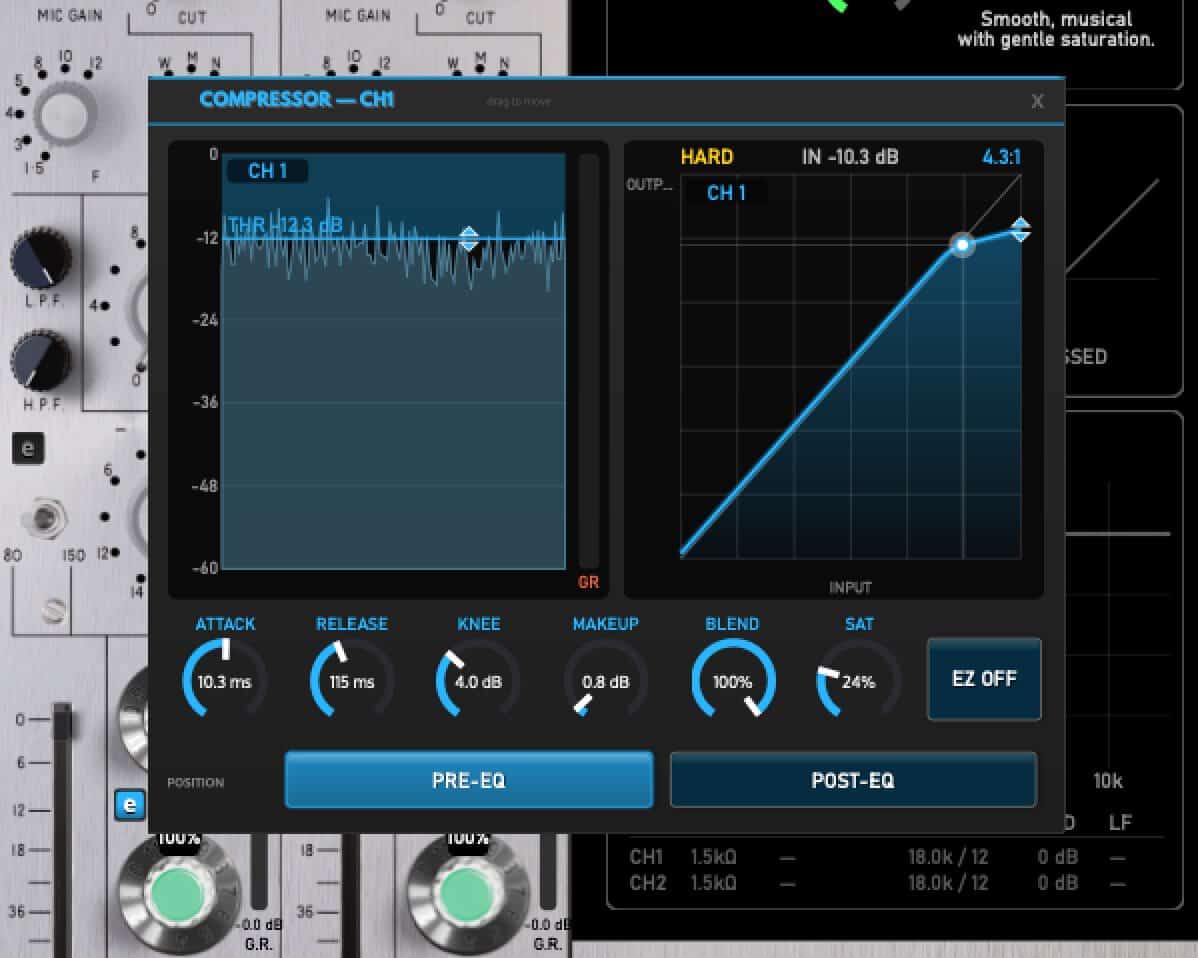
ElektraComp settings to emulate an SSL bus compressorYou’ll notice I tweaked the saturation up a little bit. A VCA is, or was, a transistor-based circuit, and driving it too hard would generate some additional harmonic distortion. It’s not the sound of an FET saturated. It’s smoother and altogether more pleasant. Highly recommended!
A word on Parallel Compression
Parallel compression—squashing the signal and then balancing it against an unsquashed version of the signal—is a game changer. It adds density and fullness without making a signal feel overly compressed. It’s useful on almost every type of instrument or voice. You can parallel compress the whole mix. If you’ve not been using parallel compression, I don’t know what you’re waiting for. It’s one of the big secrets.