Sometimes you use a tool for many years because it gets the job done… but eventually you end up wanting more out of it. That’s why I created the DLC-2

Two compressors that work together to ride the gain on unruly signals. A compressor to push down, a compressor to push up. Effortless control at your fingertips. And more...
Downward compression... and upward compression
The Dual Level Compressor 2 is two compressors in one. The High Level compressor pushes loud signals down. The Low Level compressor pushes quiet signals up. Together, they act like an invisible hand controlling a channel fader, making uneven performances tight and cohesive. It’s great for controlling levels and tightening up loose recordings.
It’s also great at bringing up details and ambience, and adding thickness and weight. And with full control over attack and release, you can add lo-fi character and vibe easily. You’ll think it’s amazing.
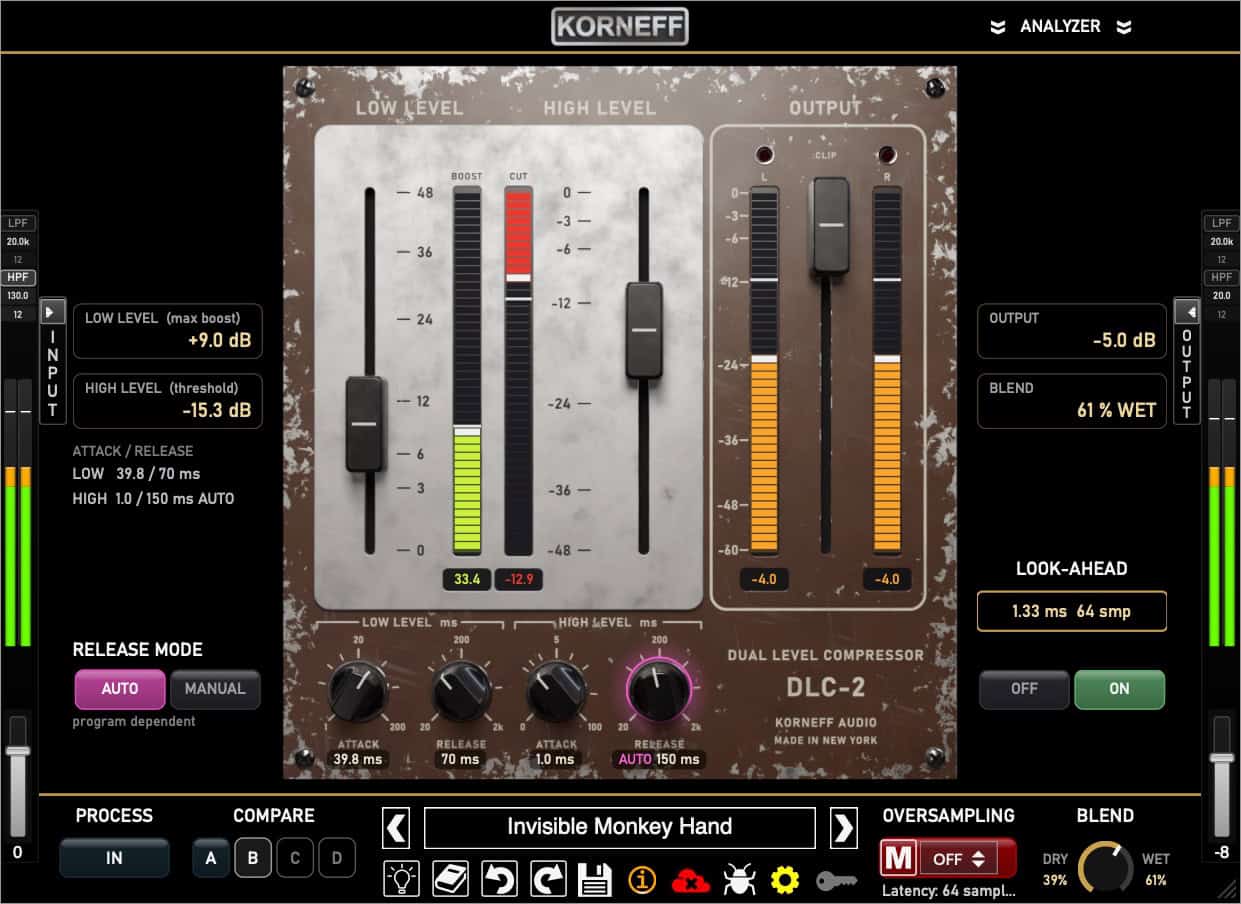
Riding the gain on a wonky signal is a pain in the neck, requiring automation as well as compression. The Dual Level Compressor makes it easy. Two steps:
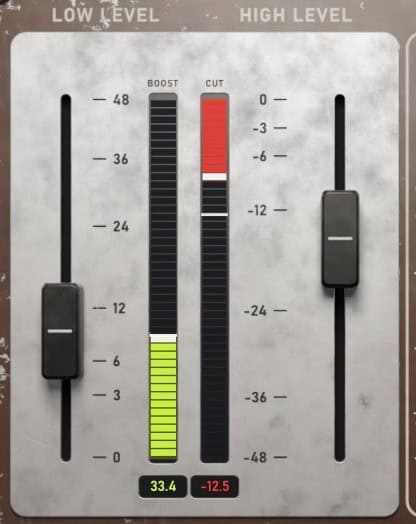
You’re done. The DLC-2 will track the signal and seat it perfectly in your mix.
The LOW LEVEL compressor is great for bringing up quiet details on any source. Make drum rooms sound huge, bring up instrument details, make vocals sound closer or further without using reverb.
You can even set TWO thresholds, one to hit the loud stuff, one to pull up the very quiet nuances, and leave the bulk of the signal untouched, for a rich, unprocessed sound.
The Dual Level Compressor 2 can be invisible, but sometimes you have to make some noise. The HIGH LEVEL compressor is, after all, a traditional compressor. We’ve added attack and release controls so you can play nasty with it.
Adjust the ATTACK to let the transients through and make that signal punchier. Or set the release too short, slam the fader down and get that compressor to pump and breathe for some lo-fi noise and charm.
Attack and Release
Set attack to 0ms to stop any transient dead. Set it to 10ms to bring out drum punch. Longer settings (up to 100ms) are perfect for shaping bass, guitars, or vocals.
Set release to a fast 20ms and make any instrument pump. Set it longer (up to 2 seconds) to blend the compression naturally into the decay of the signal.
Auto Release
Setting release for a natural sound is tricky; auto release makes it much easier to get a smooth, buttery sound out of the DLC-2.
Look Ahead
Worried about fast transients clipping your mix? Switch in LOOK AHEAD to catch those problematic peaks before they cause clipping and distortion.
I only have an interface, and no outboard compressor.
The DLC-2 can take a vocal with levels that are all over the place and gently even them out. If you don’t have a lot of outboard, the Dual Level Compressor is a lifesaver.
Instrument resonances are out of control in my mixes.
Resonance and dead spots on an instrument are a pain in the neck. The DLC-2 can tighten the dynamic range of any recording without making it sound stiff and overly processed.
I squash my drum room and it sounds all compressed and terrible.
Compressing down affects the transients of signals, and you lose attack and high end. The LOW LEVEL compressor brings up the room without affecting the punch and transients. It’s like parallel compression but even easier.
I hate the sound of compression on acoustic and orchestral instruments, but they get lost in the mix.
Bringing up quiet sounds adds density to an instrument without sounding compressed. You get natural depth and detail with no unnatural compression artifacts.
Sometimes you use a tool for many years because it gets the job done… but eventually you end up wanting more out of it. That’s why I created the DLC-2
It’s a foggy day in London today but very peaceful… But it’s not peaceful in my mixing room. The DLC-2 has got me pumping more than iron! I love what this is capable of. Talk about musical! This is a very exciting tool for me.













Korneff Audio uses a software-based licensing system. No USB or hardware dongles, no special drivers are needed.

Our plugins can be activated on up to four (4) machines at the same time.

An internet connection is required to activate our software. Internet connection required for all demos.
Current Version: 1.0.0