
Korneff Tips 03: Foolproof Compressor Settings?
A foolproof way to set a compressor?
What a knuckleheaded title. There is no one way to set a compressor; there are hundreds of ways to set a compressor. But here’s a way to listen and make a decision, and three different settings that will give you a place to start on the road to compressor mastery.
First, listen to what you’re thinking needs compressing. Sit the track in the mix and listen.
Compressing for Level Control
Is the target track dipping in and out? In other words, is it changing in level so much that you lose it in the mix or it gets too loud? Or perhaps a bit of both? If you don’t feel like automating the fader rides (I never feel like doing that) then you need to compress it for gain control, which suggests to me double, or serial compression. I wrote an article on it here, but you can set up the KA1776 to double compress easily. Set it to SERIAL, UNLINKED, INTERNAL and then set the first compressor to 4:1. Attack to... oh, set it roughly like this picture—this is on a vocal.
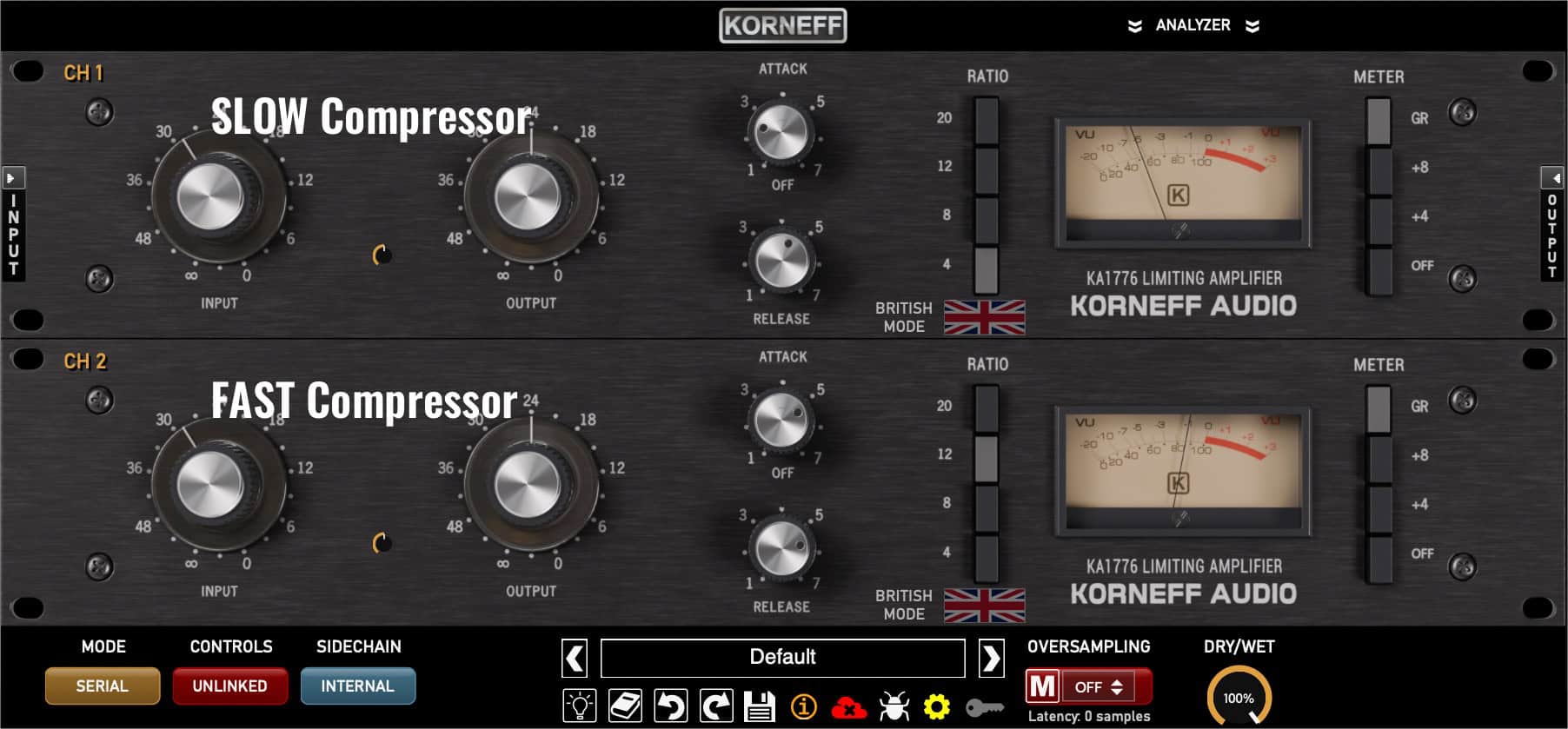
Settings to control level with a velvet fist.
The first one is the SLOW compressor—more gentle and slower responding; the second is the FAST compressor—higher ratio and more jumpy on the meter. The basic idea is that the SLOW compressor is in a lot and the FAST compressor kicks in occasionally, like it’s batting clean-up. You’ll have to dick around with the INPUT levels to get the meters responding right—SLOW compressor has a SLOW meter, FAST compressor has a jumpy meter.
Compressing for Poke
Back to listening. Does the level seem consistent, but if you set the track to where it has presence it seems too big and loud, but if you lower it down it seems to vanish under the rest of the mix. Like a chunky electric guitar—it gets in the way and covers up everything once you get it high enough in the track that there’s a good rhythm sense from it. The solution here is to get the track to POKE through the mix—increase its punch and transient activity. To do this we want to slow the attack down to let the transient through, set the release pretty fast so the compressor doesn’t squash the next transient. And a higher ratio, like 12:1. Here’s what it looks like on the KA1776:
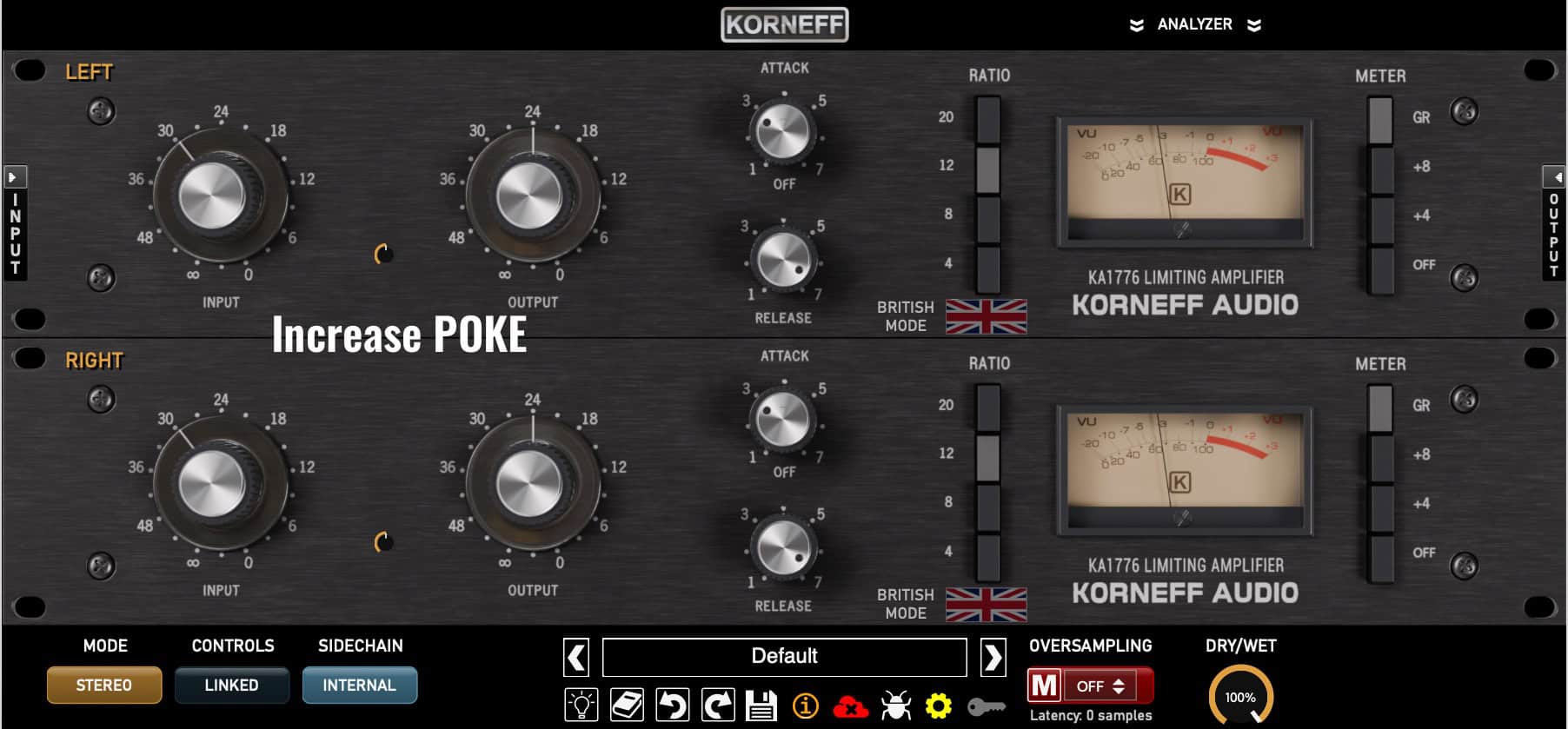
You want that meter moving a lot!
Compressing for Hang
We return to listening. The track you want to fix is like a little blip with no body. It cuts through the mix, but that’s all it does. Think of a tambourine: there’s a nice loud “click” but no rattle. Or a drum: there’s a transient but no resonance. Or a strummed acoustic guitar that’s all pick sounds and no body resonance. In this case, we want the sound to HANG around longer in the mix. We do this by getting rid of the transient with a very fast attack and bringing up the rest of it with a very fast release. Like this:
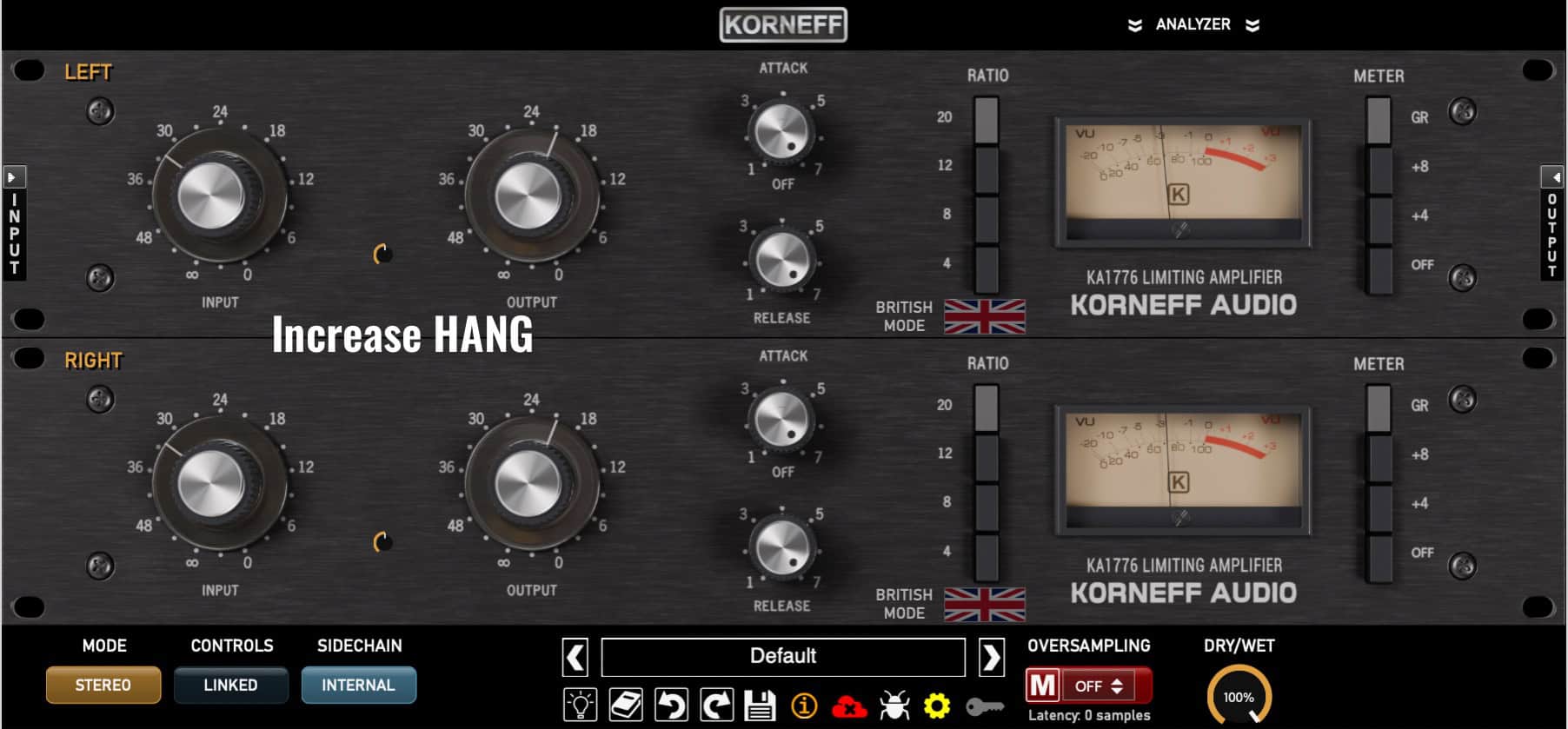
Settings to bring up details and extend the sound's duration in the mix.
The meter might look like it’s quivering—moving like the lower lip of someone who’s trying not to cry. Jiggly.
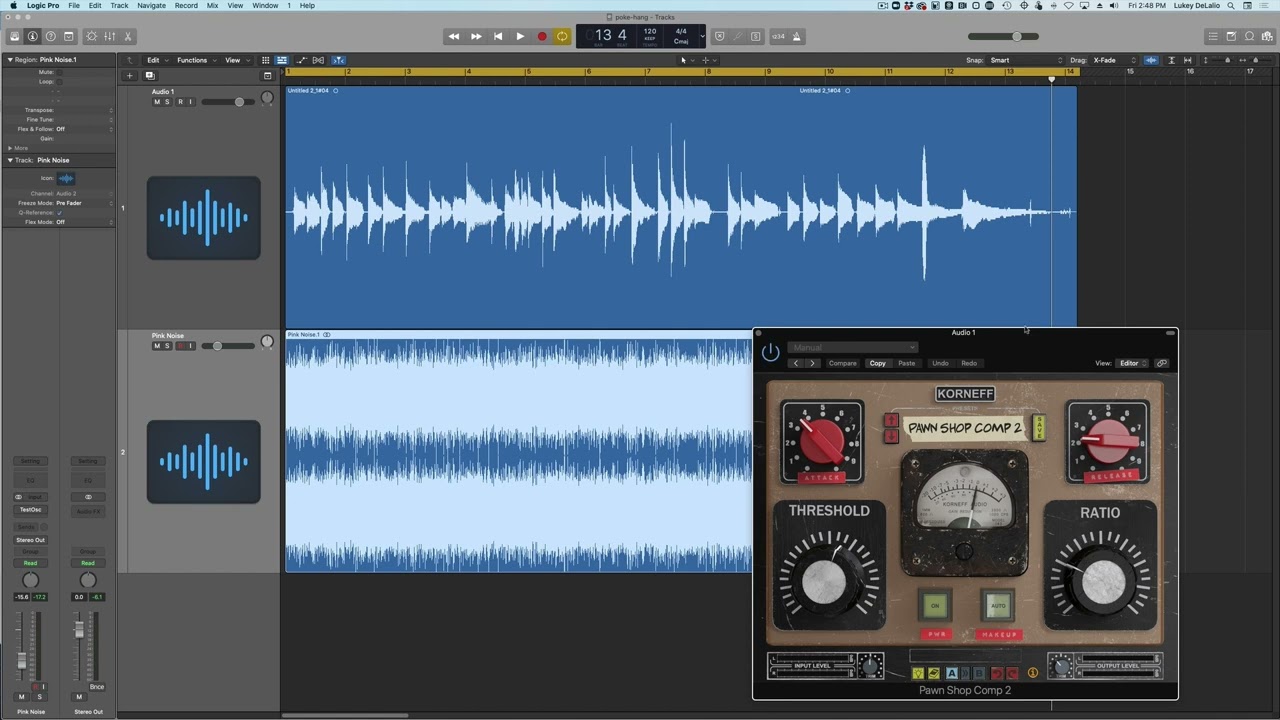
I made a video on that Poke and Hang stuff.
Doing All of That Stuff
Sometimes you need a compressor to do all of that: control the gain, get the sound to poke out, get it to hang around a bit longer. Room mics come to mind for this, also bass, also something across the entire mix or a bus. Set the release too fast and adjust the attack first, then set the release. If you set the release too long you’ll lose the punch and brightness. If you set the release too short the track might start losing its rhythmic quality or just sound unmusical and weird. As I constantly write: WATCH THAT METER. It should look like you want the track to sound.
Parallel compression next week!