This week’s tip is for more than just the Sound Techniques Alpha Range Channel, but I’ll demonstrate the ideas with the Alpha Range as an example.
Also, thanks to Producer/Engineer/Mixer/Composer/Silver Fox John Paterno for the conversation that got me thinking about this.
I come from over yonder, on the other side of Analog Hills, where we didn’t have no stinkin’ presets. Everything had knobs. If you wanted to save your settings, you used tape and a Sharpie or you wrote them down in your notes. Or you had the assistant write them down.
It was primitive. Recalls of mixes were torture, even if you had an SSL with Total Recall, because you had all of this outboard gear that was outside the computer. And even on the SSL, you had to turn every knob by hand. I hated recalling mixes. Plus by the time I delivered mixes I was bored of the whole project.
Now y’all have presets. I confess, I rarely use them myself, probably because I’m a dork hung up on “being myself” and “doing it my way.” Like a reverse control freak (an out of control freak?). But lately, I’m seeing the light.
John Paterno made a bunch of presets for the Sound Techniques Alpha Range Channel for different settings so he can basically click through preset to preset / setting and quickly audition different settings on the plugin. It’s a great idea.
It’s a great idea because you can go faster through a session, but also because you really have to be smart when using the Alpha Range because it can quickly use up a lot of CPU. Dan wrote all about that here. It pays with high-performance plugins to run them as CPU economically as you can, and making some custom presets lets you do just that.
Handy presets to have
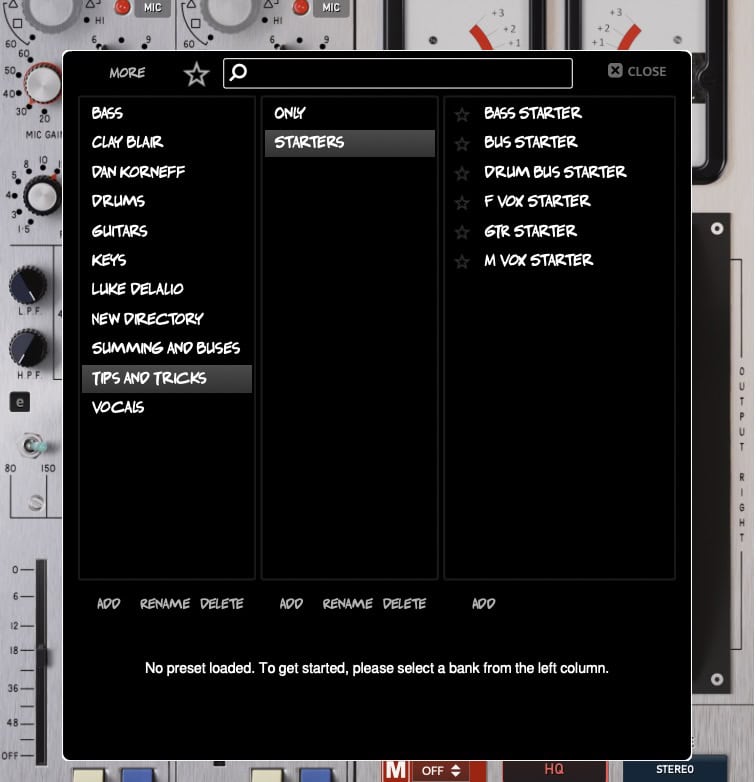
First of all, you can download all the presets discussed in this tip. There are three installers, one for Mac, one for Windows and one for Linux. They’re easy to use. Download the file, quit your DAW, unzip the file, find the installer that matches your OS, click it and follow the prompts. When you boot your DAW and look in the Alpha Range Presets you’ll see them there.
Sound Techniques – Alpha Range Channel Tips 10 Presets
First, I made myself All Off—everything on the plugin switched such that it uses the absolute minimal CPU.
I also made Preamp Only (only the preamp switched in), EQ Only (just the EQ, uncut) and Summing Only (everything off, the Summing Amp on). And then I have one called Gain + EQ, which is the preamp and the EQ switched in. I actually use this preset the most.
As I go through the tracks at the start of a mix, if I hear perhaps dull overheads, I put EQ Only on them. A voice usually starts with Gain + EQ. On the Stereo Bus, I insert Summing Only.
So right away, I’m thinking about CPU management, and with a big mix, that’s important.
Starter Presets
I also made a bunch of instrument-specific presets with it. They’re a step up from the Only presets, but I still keep the CPU usage in mind. Yes, these are pretty generic, and I further adjust them to the sound I want, but it is a quick start.
Bass Starter has preamp, EQ, the compressor and, most importantly, a particular impedance (60 ohm) and pad setting on the INPUT TRANSFORMER IMPEDANCE knob, and some saturation settings on the back panel.
Drum Bus Starter has the ElektraComp set at a good starting point and everything else off — I like the ElektraComp a lot.
M Vox Starter is for male voices and has a bit of mic pre gain, a low and a hi EQ boost but no compression.
F Vox Starter is for female voices, or higher male voices, I suppose. It has a lot of preamp gain on it, a touch of high EQ, a little cut in the bass and some compression.
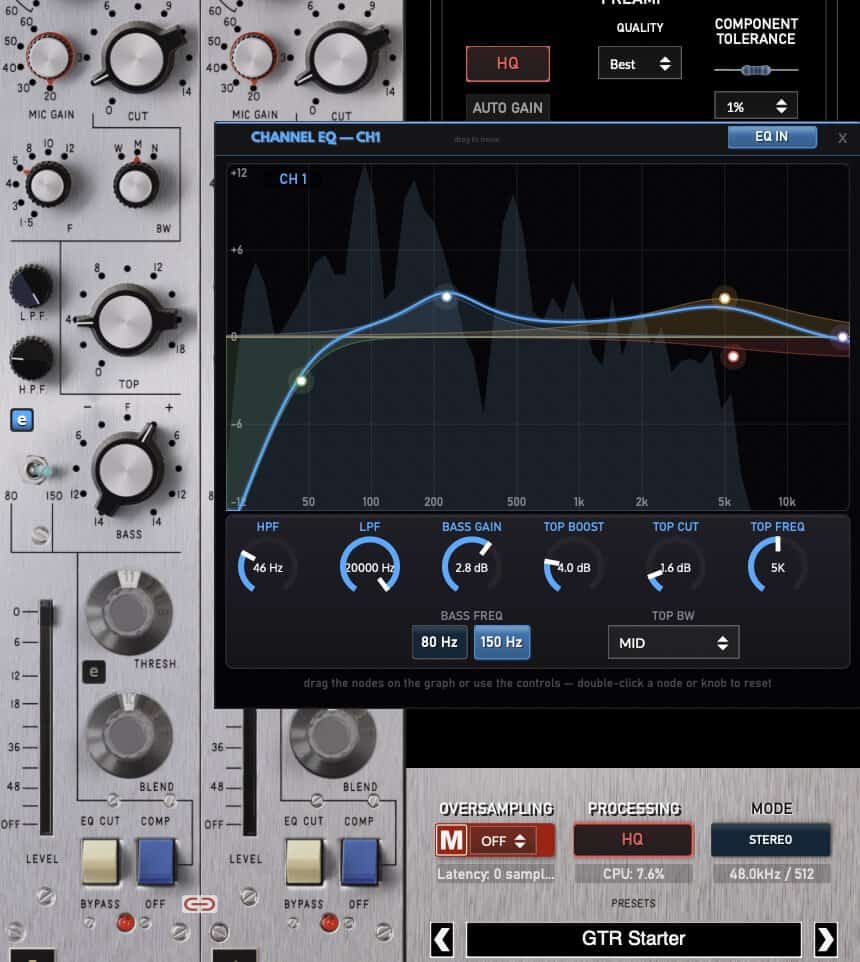
GTR Starter has no preamp gain but the transformer is rolling off some of the highs and the EQ is set to give a gentle smiley face.
If you use them, please tweak them. Maybe set up different subfolders, one for loud rock records, one for jazz sessions, etc.
More Ideas
ABC Presets: If I have a couple of different settings and I can’t decide which is best, I save presets of them to a special folder, with names like Vox A, Vox B, Vox C, and then step through them while listening. I don’t do this too often. The more choices you have the less decisive you become. The last thing I want to do is get all vague and anxious about my choices when working on a record.
Multing: Another idea, kinda related. In the old days, you’d run out of tracks so you’d start sticking additional ideas wherever you could fit them. You’d wind up with a track that’d have a backing vocal, a guitar harmony, a tamborine, and in the mix, you’d MULT that one track to a bunch of channels, set them as you needed them, and then switch them on and off using automation or your fingers.
If you’re not doing the DAW equivalent of this, you’re crazy. Have the same track on different channels with different settings, and then mute and unmute as needed. Like, have two totally different setups for the room tracks of the drums, and when the mix gets dense, swap in the drier setup to reduce the clutter.
Manual Trimming: It can be maddening when you’re using fader level automation to make little changes without disturbing the recorded automation. Yes, there’s a trim setting, but what if I’m just experimenting? I’m not sure what I want to do and the automation track is full of moves and I don’t want to even think about messing with it. Can you tell I have mixing automation system fuckup trauma from the 90s?
I add a Gain Plugin to the channel at the end of all the other plugins, and I noodle my levels around with that. I do this all the time with vocals. Setting the vox levels is a bitch and a half. I experiment with the gain plugin, using it to set tiny boosts or cuts without touching a fader. Sometimes I might have three different gain plugins in on the insert, one set for the verse, one for the chorus, etc, and I switch them in and out manually. Once I automated the switching rather than screw with automation. I really don’t like fader position automation. I’m actually a very damaged person.
Related to this—try this: Put our Puff Puff mixPass on a channel and leave it out most of the time, but switch it in when you need that particular part to jump out a little bit. On the drum bus, on drum fills, on a keyboard part that leads into the verse, when the name of your ex comes up on the lead vocal. This is handy all over the place and it works so much better than raising and lowering the fader levels. And it’s less of a pain in the ass.