
One doesn’t think of the Shure Level-Loc as a special effect unit, but it can process signals in some bizarre and usefully weird ways. Using its particular flavors of distortion, combined with the pass filters, the Level-Loc can add subtle production touches to your mixes or all-out death and destruction.
Controlling Distortion and Saturation
Run a bass track through the Level-Loc and apply the basic setting below. You will need to adjust the INPUT LEVEL and the INPUT TRIM probably. Get a compressed but not overly squashed bass sound.
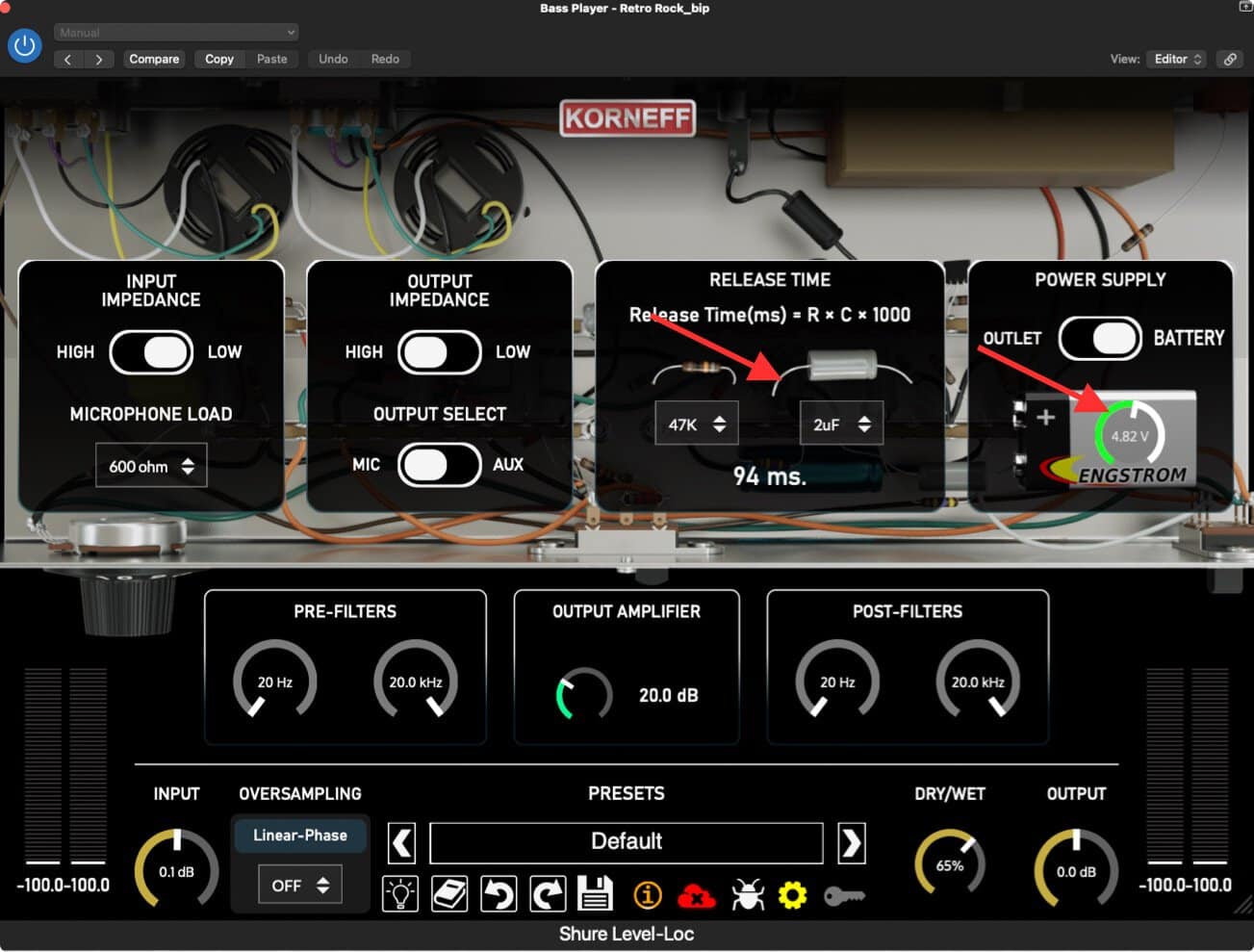
Flip around to the rear panel and set the RELEASE to 94ms. And then go to the right to the POWER SUPPLY area.
The original Level-Loc was designed to be plugged into a wall, but it could also run off a 9volt battery if you wanted to use it portably, like in the field during a broadcast “on the street” interview situation. The PLUG setting provides clean, even power to the Level-Loc; the BATTERY lets you lower the power, simulating what happens when a 9v battery slowly dies. The more you turn the control counterclockwise, the lower the voltage to the circuit and the more distorted things get.
At around 7 volts, there will be an increase in distortion and the transients of the signal tend to get a little brighter and punchier. In fact, a little less power on drums through the Level-Loc often adds some cut to the signal. As you drop past 6 volts you’ll hear a very noticeable increase in distortion—really, it’s a very buzzy, fuzz box sort of sound. Down below 4 volts the signal will really start falling apart and as you get even lower, the Level-Loc might drop out altogether or snap on and off depending on signal loudness.
The Level-Loc will behave very differently depending on the signal you pass through it and where you set the battery voltage. I’ve experimented and gotten it to sound even MORE compressed than usual. I’ve found settings that seem to change the attack and release. You enter a weird world when you starve the electronics of power.
Adding Harmonics for Definition
Back to our bass: turn the battery voltage down until you get a consistent fuzz that correctly tracks the bass signal. If you unsolo the bass and pop this into the mix, you’ll notice the bass has a bit more presence in the mix, thanks to the increase in the mids from the saturation. Check the sound on both small speakers and big speakers, if you can. If you have a bass part that is critical to the hook of the song, getting the sound correctly placed on speakers is a tough one. Adjust the Level-Loc battery voltage until the bass is apparent on small speakers, and then back off the amount using the DRY/WET Blend. I switch between small speakers and big speakers. I kind of want the effect to be invisible on the big speakers but usable on the small speakers.
As a Fuzz Box
Of course, if you want fuzz bass, adjust the voltage to the desired level of break-up. You can also push the INPUT LEVEL up a bit or adjust the back panel impedance settings to push more signal through the circuit for more overload.
This trick also works for guitars, vocals, keys. It can wake up an especially dead kick too. Adjust the Level-Loc such that the kick is basically turned into an electronic “click,” and then blend this back by using DRY/WET.
Speaking of Clicks
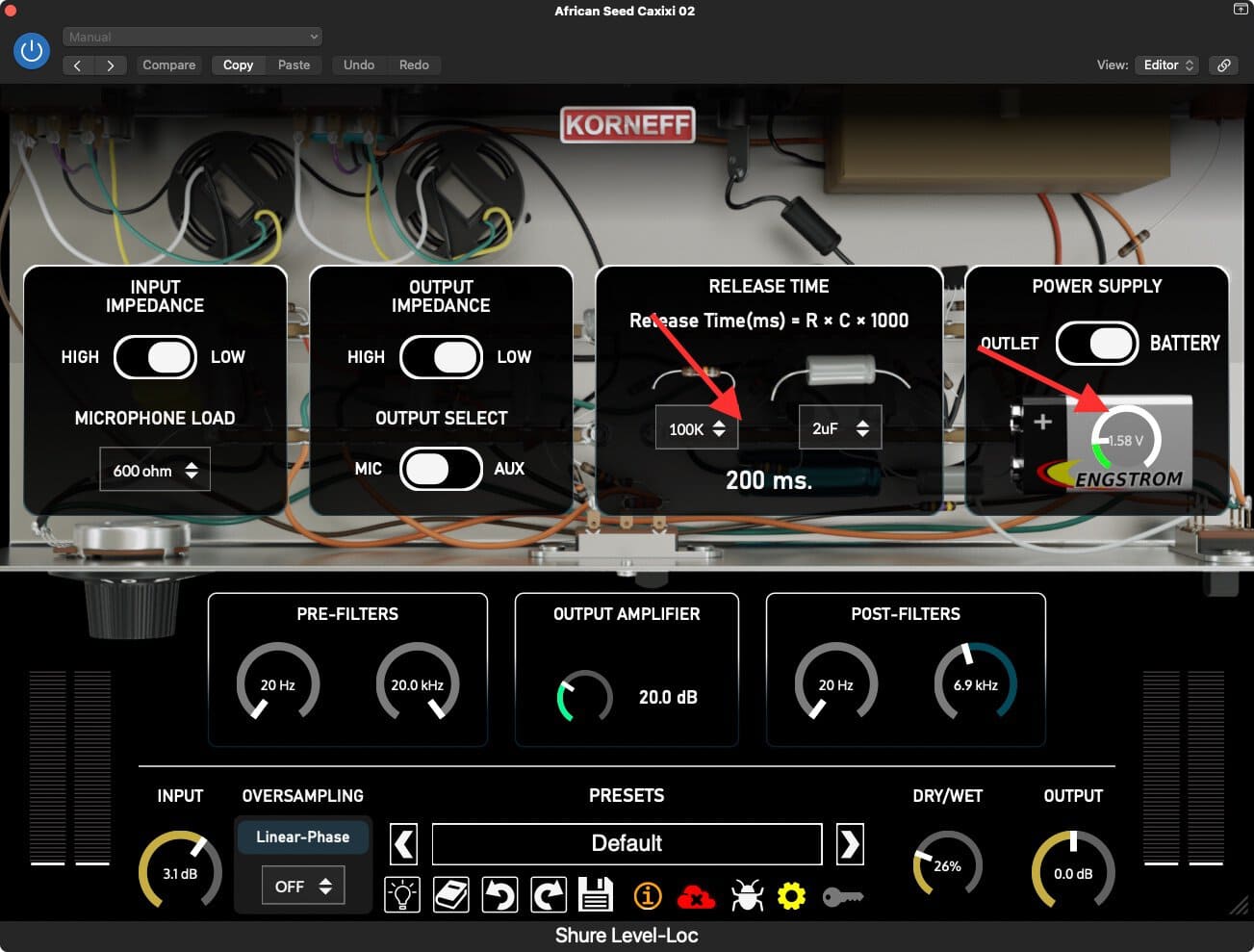
At very low voltages, the Level-Loc will start to cut out, acting almost like a noise gate, albeit a really bad sounding one. When the signal is loud enough, what comes out is a cross between crackle and white noise. It can be rhythmic, based on the tempo of the signal feeding in, or it might be random feeling. Try adding level-Loc clicks to percussion parts like shakers and tambourines. Play with the voltage until the clicks are consistent and then mix to taste using DRY/WET. You can pan the Level-Loc’d signal opposite of the clean part by using it on a separate channel. Or send the processed signal into a reverb.
Use the Filters
The Level-Loc has two sets of filters, one before the compression circuit, the other after. I use these really aggressively to create resonant notches in sounds. As an example, on a keyboard pad, getting some resonance humps gives a drone like sound to things, especially when combined with some battery drain.
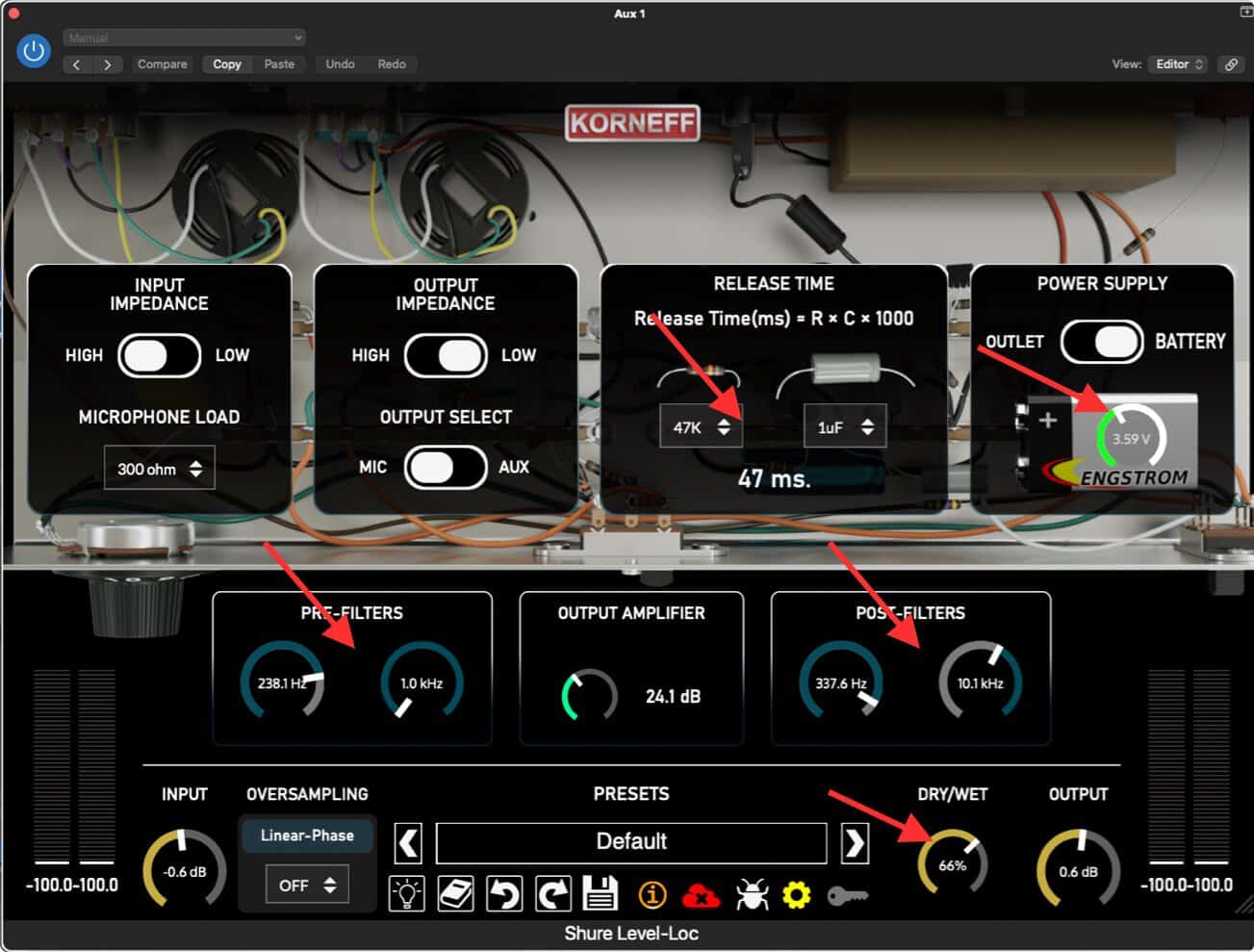
Think about the POST FILTERS to pull off some high end. All the distortion can make signals way too bright. Clean things up with a bit of low-pass filtering.
The filters become especially useful if you process reverb through the Level-Loc. This is really fun to do. Set up a reverb, throw a Level-Loc on it, and then feed signals to it via sends. Use the filters to get some notches going on, turn down the battery, and you’re rewarded with a low-fi, resonant reverb that can function almost like a counterpoint.
Resonant, distorted sounds can get hard on the ears quickly. Take breaks when mixing with things like this, and use your taste in the mix. A song with some strange spikey part going through the entirety of it is probably going to be unpleasant. But adding in an interesting sound when you want to capture listeners’ attention is a good tactic.
This concludes our quick course on using the Shure Level-Loc. We hope you found in useful in your work.