Happy Tuesday –
Yesterday, 4/20, was the birthday of our Puff Puff mixPass plug-in, but we’re keeping the party going with 40% off Puff Puff and 20% off the rest of our plug-ins! Go here.
I talked about thinking of loudness as density and I told you I’d write some more on this today. I carry out my threats. More on the Puff, more on loudness.
When to use EQ, Compression, Reverb or the Puff
On Monday, I wrote about density as a way of thinking about loudness, and I gave you guys a bunch of food for thought. Here are some practical guidelines.
Compression and Limiting: These effects change the microdynamics, or the envelope, of whatever you put them on. Depending on the settings, you can lose or accentuate transients, or lose or accentuate the quiet part of a sound. Do you want to do that? Do you want to make a vocal more breathy? Do you want a snare to pop and rattle more? Does the keyboard part need to be louder, but smoother?
If you’re thinking in terms of changing the sound, or changing the sound AND the loudness, you’re in compressor usage territory. If you’re thinking, “This needs to be louder,” you’re thinking in Puff territory.
EQ: Compression changes the dynamics of a signal; EQ changes the frequency balance of a signal. If you want to hear more or less of a range of an instrument—if you’re saying to yourself, “This kick has no thump,” or “These cymbals need sizzle,” that’s EQ thinking. If you’re thinking, “I need more lead vocal,” that’s Puff thinking. Remember, at its most basic function, the Puff just makes things seem louder.
Reverb and Delay: These effects tend to add volume in an architectural setting, but on recordings, they’re more about space and mood. Seldom have I thought, “This needs to be louder, let’s add reverb.”
I heard this the other day. It’s a typical use of delay, but in this case it is making that intro guitar part jump out a little bit—a little more interesting and a little bit louder.
Puff on reverb will make the reverb seem louder and more present… just a quick thought.
Puff Thinking
If something needs to be louder, and the fader doesn’t fix it, the Puff usually will.
Why would the Puff work better than the fader? Because the fader is adjusting level AND loudness, and the Puff is just affecting loudness.
Why would it work better than EQ in some applications? Because the Puff doesn’t change the frequency balance of a sound.
Why would it work better than dynamics—compressors/limiters—in some applications? Because the Puff doesn’t change the microdynamics, the envelope of a sound. It doesn’t affect transients or sustain and release.
Try this: bring up a lead vocal, remove most of the processing on it and add the Puff. Just by using DYNAMICS and AMOUNT, can you get that vocal to sit correctly?
I use the Puff as a testing tool on mixes. I put it on various tracks and experiment with where they are in the mix. Often I find I’m using saturation and EQ or compression to adjust levels, and the Puff is the better solution.
A touch of Puff brings kicks out. Push SONIC INTEGRITY towards FUZZ to bring out some of the highs. Unlike using EQ or compression, the Puff doesn’t change the basic sound of the kick. I have found often that I am screwing around with EQ and dynamics on a perfectly fine sound, and I just need a touch of the Puff on it.
PUFF Applications
Obviously, stick the Puff Puff on the mix bus and everything suddenly sounds louder and more present. To take it a step further…
Rough Mix Master
You always end up making rough mixes for clients, or even for yourself, to listen to in the car, at home, etc. You already might have a bunch of stuff on your 2-bus, and that’s cool. I have the Puff Puff sitting on mine all the time, set up roughly like this:
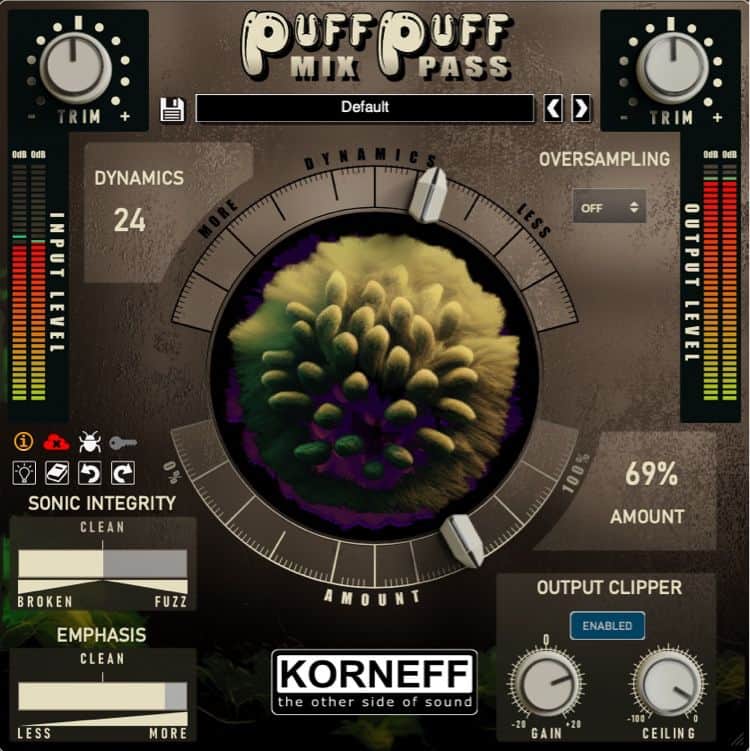
The Output Clipper is a True Peak limiter/clipper, and that is a really useful thing. I’ll get more into true peak soon, but for now, all you need to do is set the ceiling down 1 dB if the mix isn’t particularly heavy or loud, and maybe 2 dB if it is. Then turn up GAIN while listening and watching the Output Meter to the right. The top one or two LEDs shouldn’t light up—that’s the CEILING setting doing its job. You can add gain and it will eventually distort, but it won’t go over that CEILING setting. This sounds LOUD but not compressed, and use your ear when it comes to distortion. You might like it!
If you want it even louder, consider getting an El Juan Limiter and putting that before the Puff Puff. But for something quick, I just use the Puff. It’s in my template always as the last thing on the 2-bus, left in bypass until I need it.
Just so you know, the Puff Puff is the last thing on Dan Korneff’s mix bus. That is his final clipper and the last processor on his mix bus chain.
Use Two of Them
This is a Dan trick. If it sounds good with one, add another and it sounds even better. This is especially true with the Puff. Add one, then add another. We usually just use the default preset when doing this. Sometimes we tweak the second instance a bit—usually lessening the effect. Try it. Dan always has great tricks.
As a Less Boringizer
Sometimes a part needs a little something to make it more interesting. Just a little something. Not delay, not modulation… just something. Those moments when you say to yourself, “What would Tchad Blake do?”
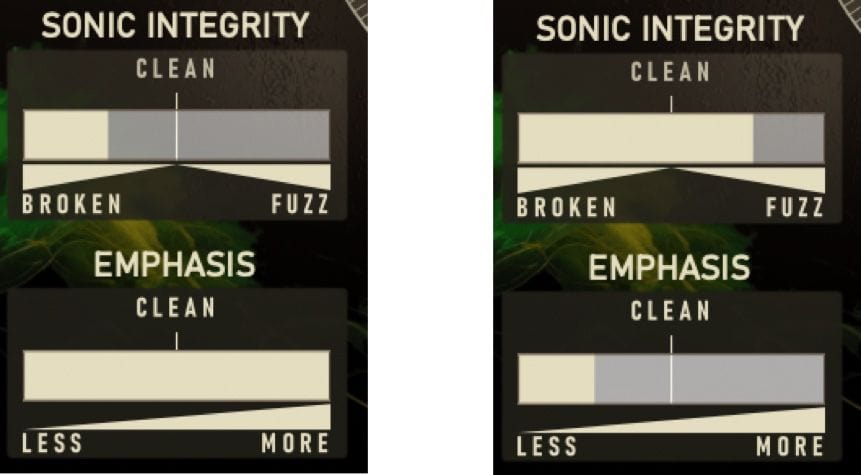
Consider adding the Puff and messing with the SONIC INTEGRITY controls. You can get all sorts of otherworldly radio transmissions from outer space garbles and distortion. You can kind of use the AMOUNT control as a DRY/WET blend. Not exactly, but kind of.
Level Matching
If you’re doing live gigs with backing tracks, or perhaps sequencing a bunch of songs mixed at different times or by different people, and the volume is all over the place, use the Puff to even things out. You can do this with faders, but often fader differences change the overall output level, especially if the songs are already compressed, and you also don’t want to automate the channels or the output master fader. You could compress the output, but that results in changes to the dynamics of individual songs and inconsistent results depending on how compressed a song might be feeding into that final compressor.
Instead, put each separate song mix in your DAW on a separate channel, slap a Puff on each insert, and then even out the levels by ear, adjusting DYNAMICS and AMOUNT.
This also works well to even out audio on video reels, and background music and sound effects of videos that are being edited.
Your Ideas and Uses
I’m sure you all have usage ideas. If you’re doing something interesting or weird with the Puff, or you have an application for it in which it works great, please send it to me and I’ll push things out to the rest of you guys as we celebrate the Puff Puff mixPass this week.
Warm regards,
Luke