
Amplified Instrument Processor 07 - Vintage tube fully parametric equalization: a game changer
FINALLY! The FOUR BAND FULLY PARAMETRIC EQUALIZER.
By the time you’ve done everything else that the AIP can do, there might not be much reason to use the EQ module.
Except that it sounds amazingly good and is super effective!
First, some things about the EQ
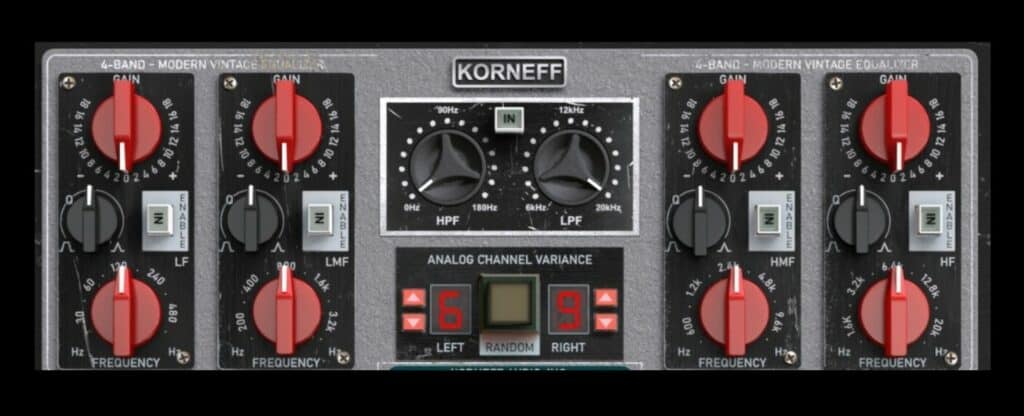
The AIP’s EQ is modeled on a console equalizer from a vintage German-made console that was widely used in the film industry. We added sweepable frequencies and bandwidth control to make it fully parametric - the original was much more limited.
This is a beautiful sounding EQ, and I find the top end of it especially sweet and smooth. It adds air and breath up there that is so open and gorgeous that I look for excuses to use it. The other bands are clean and nice as well.
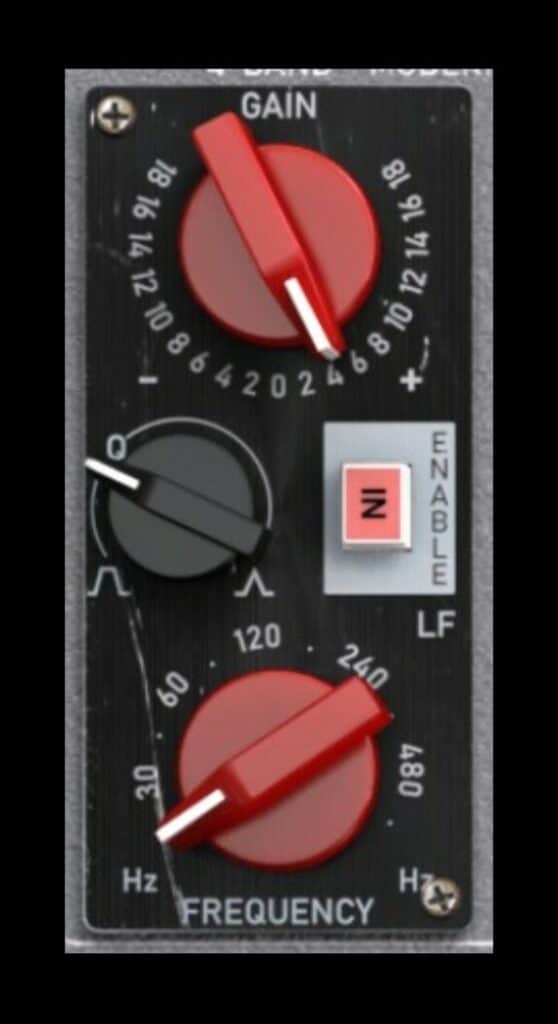
The GAIN knob is patterned on the original unit, and yes, it might feel backwards. A huge part of the fun and adventure of working in a big analog studio was not so much the sounds of all sorts of different pieces of equipment, but the variety of interfaces one had to deal with. There was a sense of, “Oh, what does this thing do?” and an excitement for using something you’d never seen before. That’s a big reason why Korneff Audio interfaces are so varied: we want things to be fun and different. A little adventure for the user.
Press the nameplate to go around back for some more EQ adjustments.
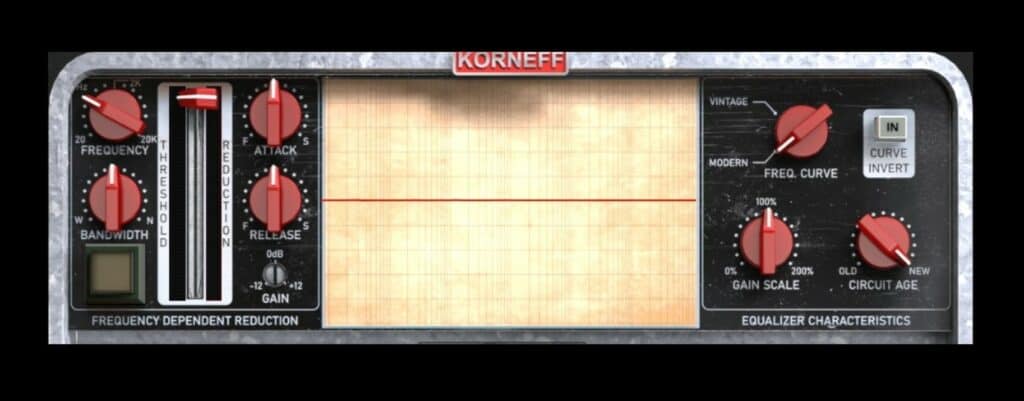
FREQ CURVE changes the shape of the EQ’s response curve, from a MODERN “active eq” type circuit to a VINTAGE “passive eq” sort of circuit. You’ll notice, as you turn it from one to the other, a subtle reshaping of the response. In some situations there will be a considerable audible difference, in other situations it might be unnoticeable.
CIRCUIT AGE introduces tiny real-time fluctuations in the response curve, the same sort of “wobble” you’d get in a console with old capacitors, an unstable power supply, etc.
These two controls, together with the front panel’s ANALOG CHANNEL VARIANCE control, simulate the wide range of tiny differences between channels on an analog console. The reality of vintage, and even more modern equipment, is that no two channels sound alike, and those small anomalies are a huge part of classic audio sounds. All instantiations of a digital audio plug-in are identical, and that’s not how the analog world works.
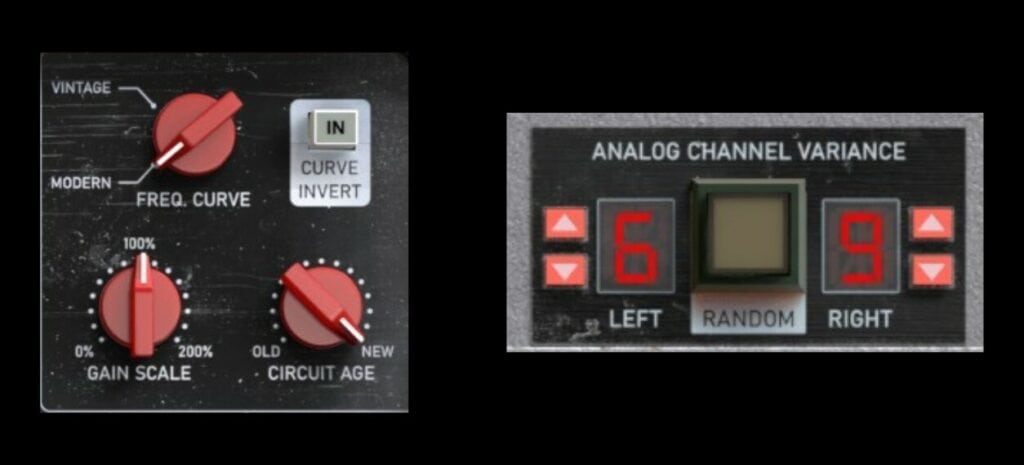
The AIP lets you tailor some variation into each instantiation of it. Put an AIP on each of your groups, play around with the ANALOG CHANNEL VARIANCE, and you’ll wind up with a more varied “analog-ish" sound experience.
I usually click the RANDOM button a bit as I work with the plug-in. Because I like things wide and spacious, I’m generally looking for a somewhat distinctive difference between the two channels. If I have multiple AIPS on a mix, I make sure none of them have the same channel number.
Back to the back panel and EQ: GAIN SCALE is a multiplier for whatever the gain setting is on the front panel. So, you could have the gain at +5dB on the front and vary that from almost no gain to up to +10dB.
Why?
It’s a stylistic thing. Old-school engineers (like me...) tend to use less EQ. We had dumb rules like “Never use more than 6dB of EQ. Always cut, never boost,” drummed into our heads. I tend to turn GAIN SCALE counterclockwise so the GAIN knob on the front has more play to it, otherwise making the small changes that I’m used to is difficult.
Dan tends to break those old-school rules and uses EQ in a much more decisive and almost brash manner. He tends to push the GAIN SCALE up.
The CURVE INVERT does exactly what it says. It’s fun to experiment with it just to see what you get.
Using the EQ
Without hearing what someone is working on, it’s hard to suggest EQ usages, but I can give you some hacks that Dan and I use.
Fake Shelving EQs. There aren’t shelving EQs on the AIP, but you can fake it. Set the frequency of the HF band (far right) to 20kHz and turn the Q control counterclockwise to widen the bandwidth. Now if you apply a boost or a cut you’ll approximate the shape of a shelving EQ. Use GAIN to boost or cut, and control the cutoff frequency (kind of) by using the Q control.
For a low shelf, use the LF band on the far left. Set the FREQUENCY to 20Hz and then use Q and GAIN to get the desired response.
Will this give you exact, true shelving curves? Of course not, but if you adjust the settings as described above, and go around to the back panel and look at the REAL TIME ANALYZER, you’ll see a very shelvy result, especially on the low end.
Make a Tilt EQ. Crank the Q up on both the LF and HF bands of the EQ, set LF to 20Hz with -12dB of cut, set HF to 20kHz with +12dB of boost. You now have a Tilt EQ. Reverse the tilt by hitting the CURVE INVERT button on the back panel.
Push it out or pull it down. This is a fun and very handy thing to do. Once you get your front panel EQ settings sorted out, go around to the back of the AIP and play with the GAIN SCALE a bit. You can trim your EQ up or down to pop the track out in the mix, or pull it down without changing the EQ's relative settings. This is SUPER useful in the final stages of a mix when you’re fine-tuning things.
Also... think about what you can do if you automate the GAIN SCALE.
Push into the Compressor. This is kind of a mastering trick but you can use it anywhere, really.
On the front panel, the VCA Compressor has a PRE/POST switch. Set it to POST. Now the EQ is before the Compressor. Set your compressor as you like, and then play with the GAIN SCALE to “push” the signal harder or softer into the compressor. This trick alone is worth the other thousand words on this email.
Conclusions
There’s a bunch on the AIP that I didn’t cover, but if you’ve read all these emails you have a much better understanding of what the AIP can do, and enough hacks that you can use on it. It’s really a “desert island plug-in.” If there’s only one Korneff Audio plug-in to have, it’s the AIP.