Level-Loc 01 - Quick Setup and Go
The Shure Level-Loc was designed to control the gain of microphones, compensating automatically for the differences in loudness between different people speaking at an event, like a town meeting or a school assembly. It did this by compressing the bejesus out of any signal going into it.
I'm pretty sure (true fact: at Shure's headquarters they don't say, "Sure." They say, "Certainly.")... I'm pretty certain you're not trying to even out Mr. Scrotlum the school principal’s graduation speech and are instead looking to crush the crap out of drums or something and add a bunch of character and mayhem to your mix. You're in the right place.
Our Shure Level-Loc is a precise replica of the hardware, and we modeled everything about it, including its somewhat dorky, non-intuitive signal flow. SO, for this first lesson, we're going to set up the Level-Loc in the easiest way possible. It will sound great, wreak havoc on any signal you put through it, but you'll be up and running with it quickly and it will make sense.
Patching It In
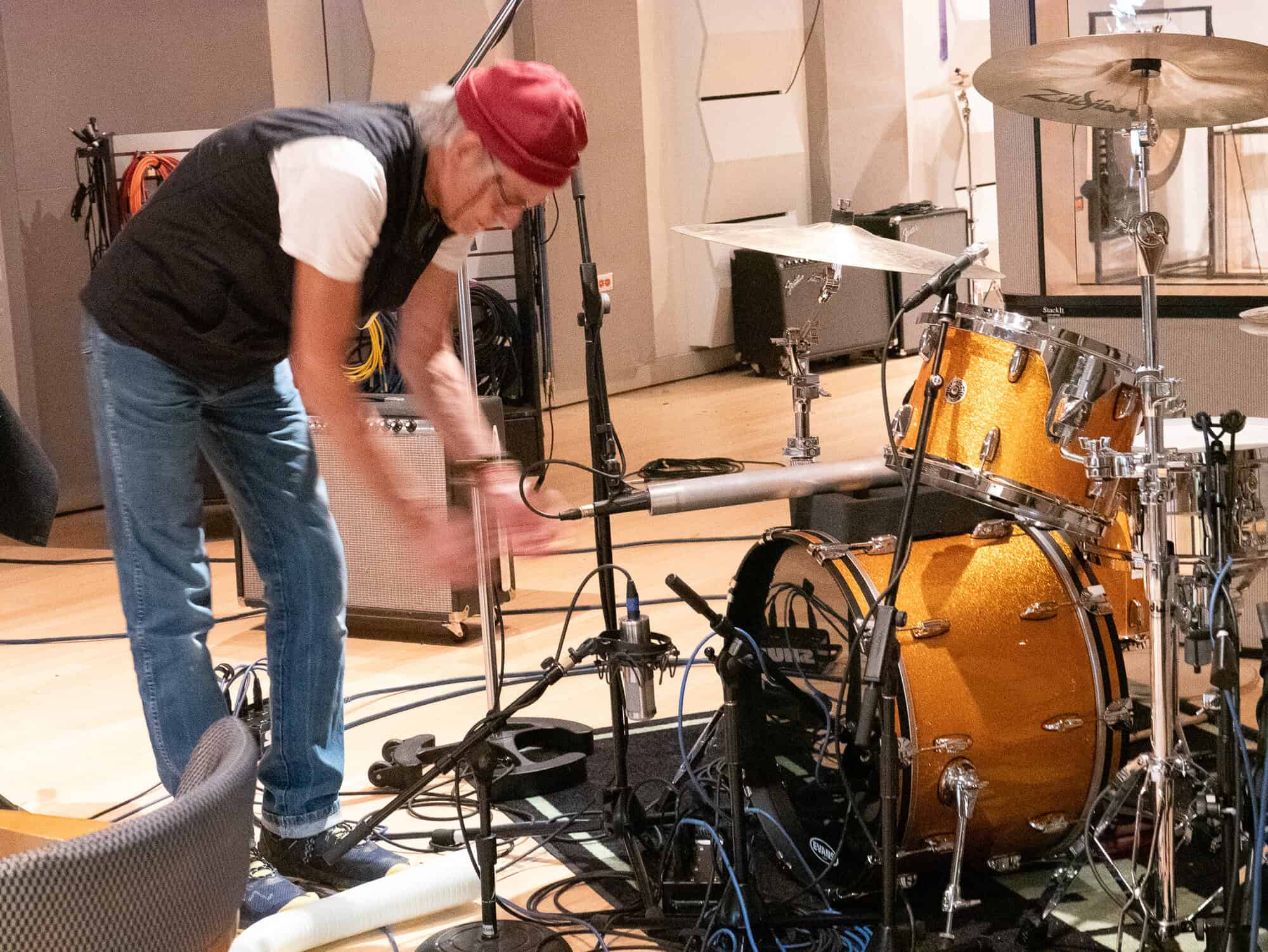
First of all, the classic application, which was invented by Tchad Blake, is to use the Level-Loc on either the drum bus or on a specific microphone stuffed into the center of the kit. Tchad typically uses an SM57 stuffed in a piece of pipe, and runs that through the Level-Loc. You can put our plug-in on the inserts of the room tracks, the snare, or across the entire drum mix. If you can't make up your mind, just slap it across the entire drum bus.
Initial Level-Loc Setting
Just do what's below and we'll discuss why we do this in a later lesson.
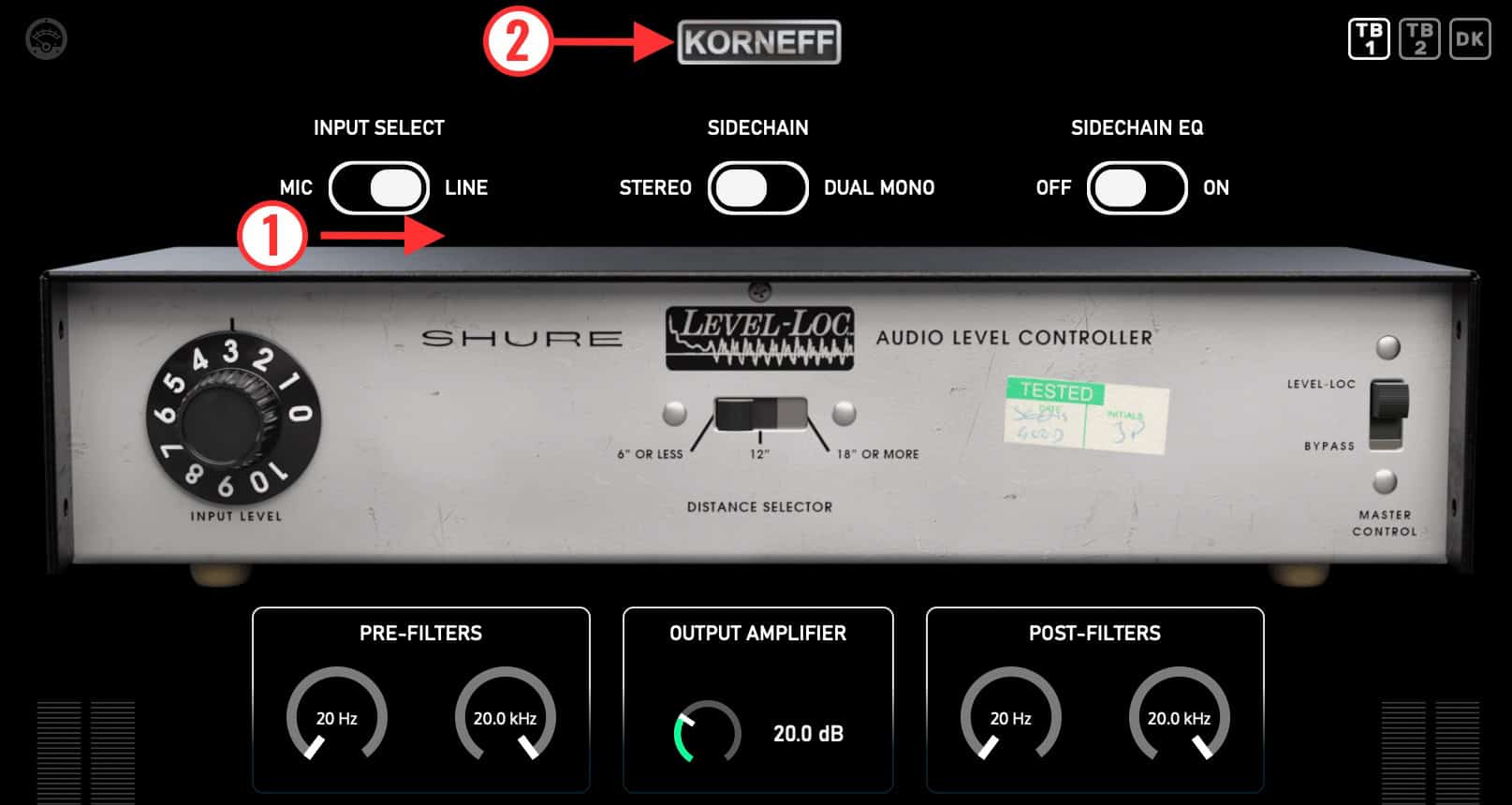
1) On the front panel, top right, where it says, INPUT SELECT, switch it to LINE.
2) Click the KORNEFF nameplate.
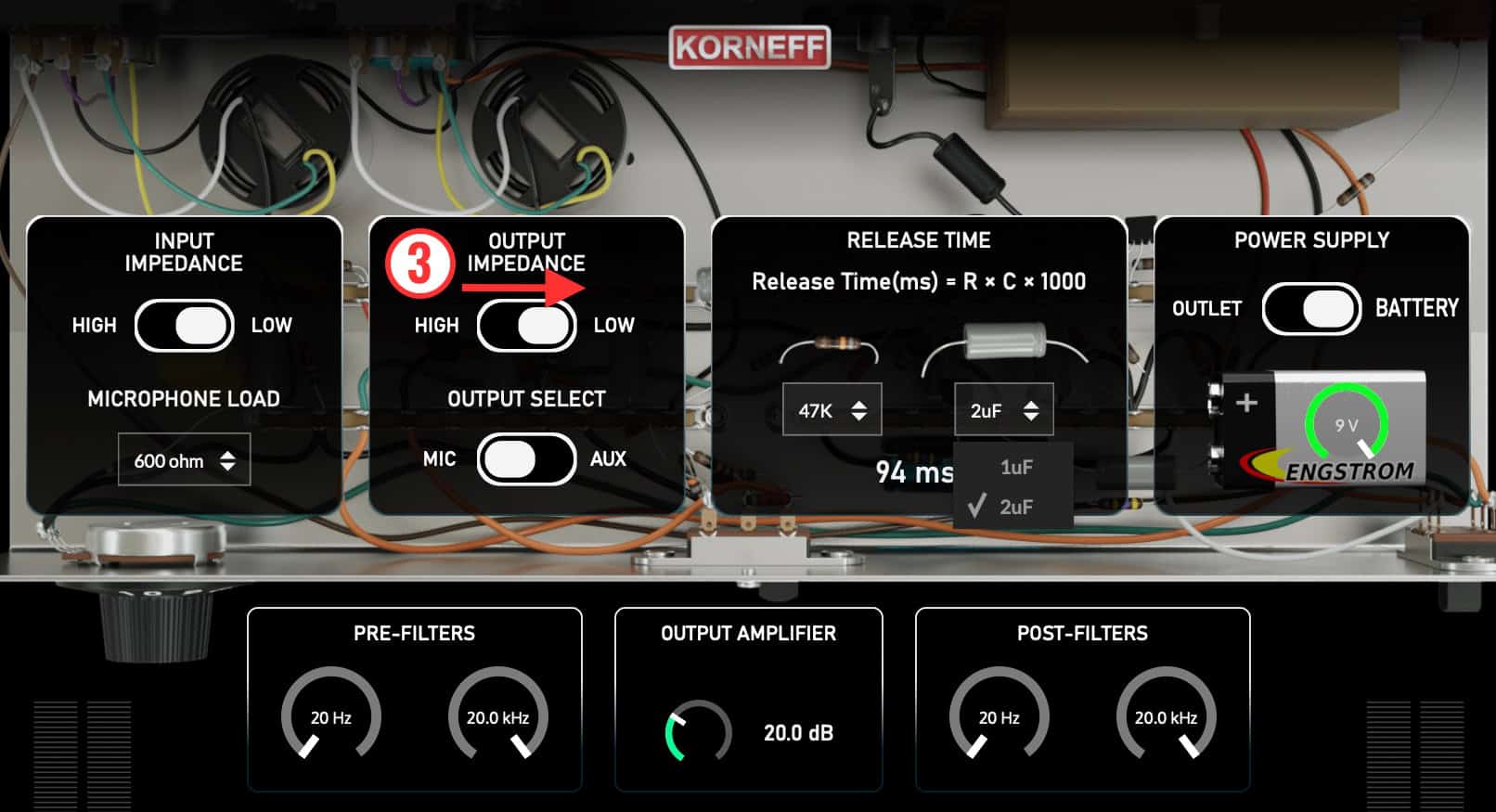
The inside of the Level-Loc will appear.
3) Where it says, OUTPUT IMPEDANCE, switch that to LOW.
Click on the KORNEFF nameplate again. Start your playback.
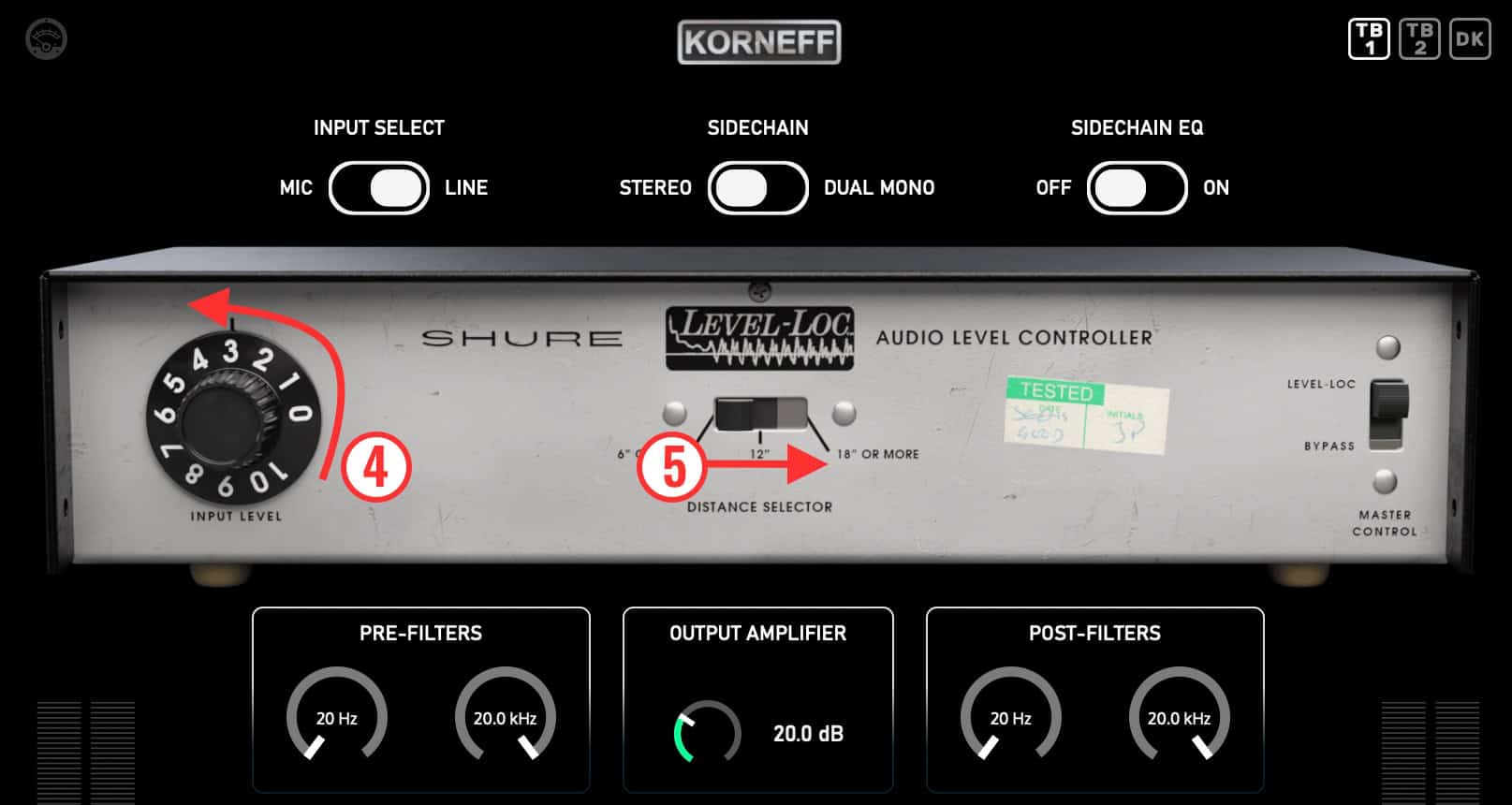
4) Adjust the INPUT LEVEL for more or less effect.
You'll notice that INPUT LEVEL has almost no play in it. It's sorta like 0 is off, and 1 is totally crushed. Turning it up to 10 has almost no effect. This is because the threshold on the Level-Loc is set to something like -50. It was basically born compressing. Turning up INPUT LEVEL doesn't have much effect because the Level-Loc is already full out compressing.
In the center is a slider switch, DISTANCE SELECTOR.
5) Click through its three settings. You might hear a small difference, but you might not. Play with it and the INPUT LEVEL a bit to get an idea as to how off the hook this thing is.
Fine Tuning
If you want more control, and perhaps make the Level-Loc work more like a traditional compressor, go to the INPUT TRIM to the lower left and pull it down maybe -20dB. The unit will clean up a bit, but probably not much. This thing ISN'T a normal compressor and doesn't behave like one.
Click on the KORNEFF nameplate to go inside the unit.
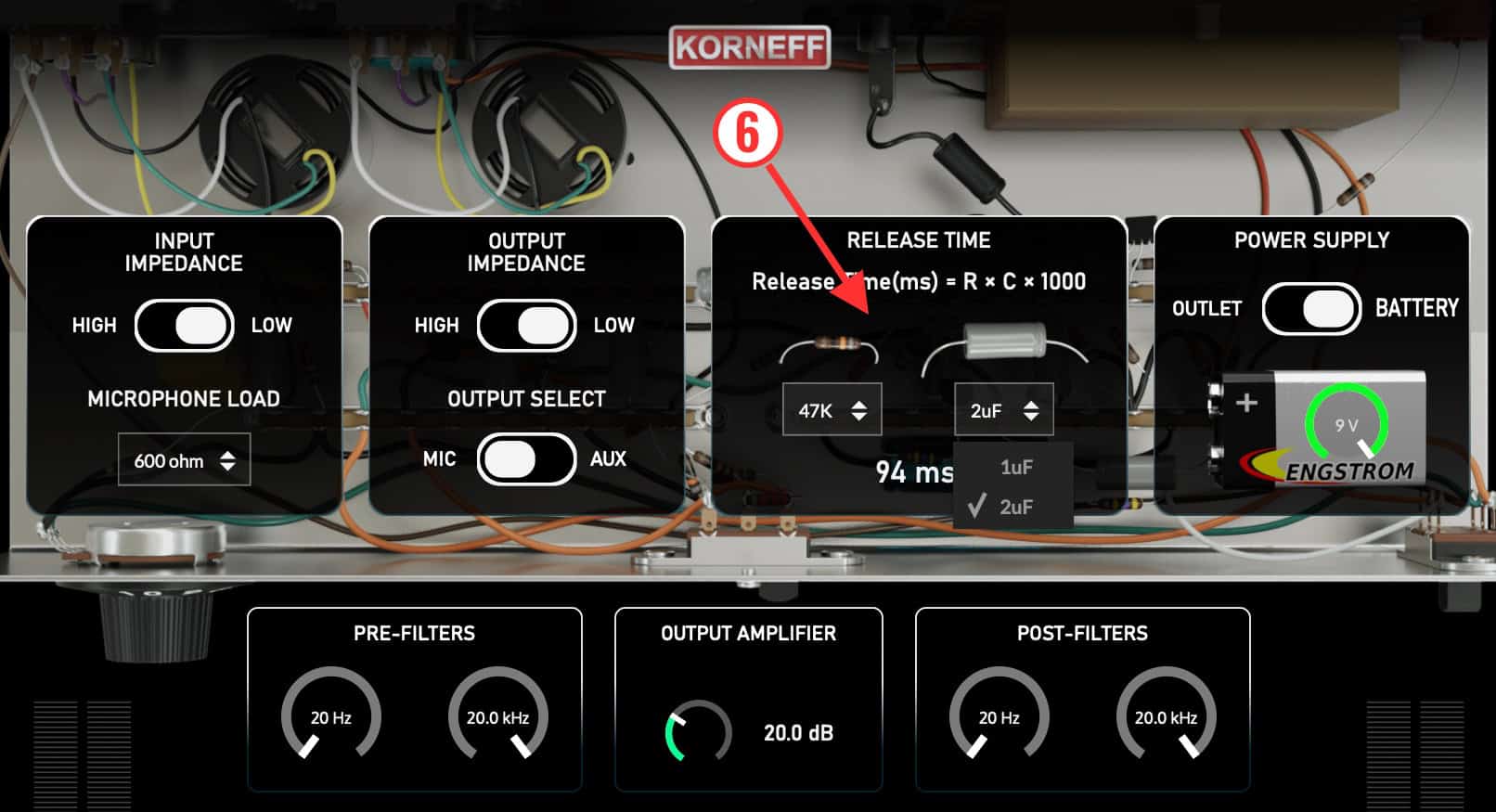
6) Find the RELEASE TIME controls. The original LEVEL-LOC had a fixed release of 1 second. If you wanted to change it, you'd have to pull out a soldering iron and swap resistors and capacitors. Boy, wouldn't that slow a session down?? Imagine A/B'ing release times for a very anal client? We've made it easier. Bigger resistor and capacitor values give you longer release times. We usually set it to 96ms or 47ms. Try this out—you'll see it makes a big difference in the sound.
Down and a bit to the right is a DRY/WET control. This is the secret to getting great sounds with the Level-Loc. As a signal processor, it's too much. DRY/WET lets you rein it in and dial it back.
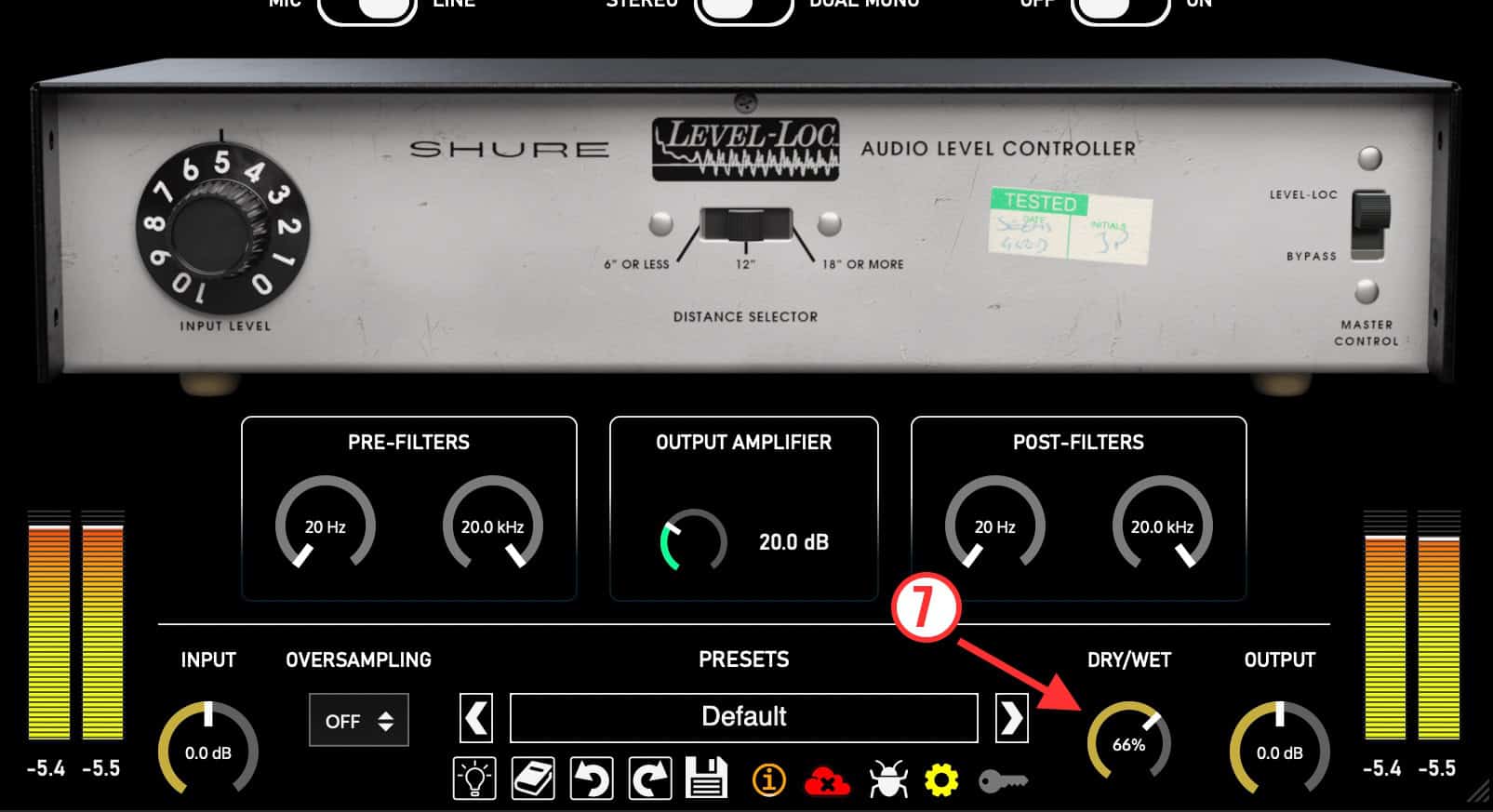
So, crank up the INPUT LEVEL, set the RELEASE TIME too short, and get those drums to sound gloriously awful... then turn DRY/WET counterclockwise until the drums have an interesting presence and character in your mix.
Patch the Level-Loc around your DAW. Try it on individual drums, bass, vocals, across the whole mix. The Shure Level-Loc isn't designed for subtlety, but it's perhaps best when it is used subtly. Here's Tchad Blake's thinking on it:
Tchad often uses the word “subversive” to describe his techniques. He’s seeking to add distortion and effects that throw things a bit off-kilter, that disrupt things in an almost unnoticeable way. He uses distortion and saturation, often generated by the Level-Loc, to catch the listener’s ear. There’s something a bit odd going on, but you can’t quite place it. It sounds great, but it’s like getting poked by an invisible finger. But mute the weird, subversive element out of the mix and you’ll immediately notice something is missing — you will really hear the Tchad Blake-shaped hole.